How to Manage Email When You Work Two Jobs

To manage email across two jobs, keep each employer’s mail in its own account, check each on a fixed schedule, and rank every message by what it costs you if it waits, not by which job it came from. The hard part is rarely the volume. It is the one message with a deadline, a payment or a contract attached that sinks under forty routine ones. theNeedle connects to Gmail, Outlook, Microsoft, Yahoo and iCloud accounts and surfaces emails with real deadlines or consequences, so you do not have to hunt for them in two inboxes.
TL;DR
- Keep each job’s email, calendar and files in separate accounts, and read your employment agreements before you share any device between them.
- Check each inbox in set windows, tell each employer when you are reachable, and close email outside those windows.
- Rank messages by consequence: a deadline, a money matter or a pending reply outranks everything that merely feels urgent.
- Use a short daily routine (scan, reply, file, flag) and a weekly sweep for unanswered threads.
- If you have ADHD or struggle to prioritize, shrink the decision: four folders, two check windows, one message at a time.
Table of Contents
- Why two jobs make email harder than double
- Step 1: Separate the two jobs before you organize anything
- Step 2: Build a structure that fits two inboxes
- Step 3: Set response windows and tell people
- Step 4: Rank by consequence, not by noise
- Step 5: A daily routine that does not eat the day
- If you have ADHD or struggle to prioritize
- Protect your personal time
- Where theNeedle fits
- Our perspective
- FAQ
- Sources
Why two jobs make email harder than double
One inbox is a queue. Two inboxes are two queues with different people, different norms and different clocks, and you are the only switch between them.
The cost is not only the extra messages. Research on attention points to the switching itself. Sophie Leroy’s 2009 study found that it is hard to move your attention away from an unfinished task, and that this hurts performance on the next one. Every time you glance at Job B’s inbox in the middle of Job A’s report, you leave a bit of your mind behind.
Then there is volume. A Microsoft Research study that followed 40 information workers over 12 workdays found they averaged almost 1.5 hours a day on email and checked it 77 times a day. The longer the daily time on email, the lower the perceived productivity and the higher the measured stress. A 2018 survey of 504 full-time U.S. workers tied higher email load to higher workload stress and greater psychological strain. Double the inboxes and you double the exposure.
The quiet cost shows up in what you miss: a renewal notice, a client asking “did you see my last note?”, a form due Friday, a refund that expires. Those are the messages worth protecting, and the rest of this guide is built around them.

Step 1: Separate the two jobs before you organize anything
Organization works best on top of separation. If both jobs live in one inbox, no folder system will keep them apart for long.
Give each job its own account and calendar
Use a separate email account and a separate calendar for each employer. A two-employer workflow guide recommends separate calendars, or color-coding if you keep them in one view, so conflicts show up before they happen and double-booking gets harder.
A practical setup:
- Job A: its own work address and calendar, never used for Job B.
- Job B: the same, in a different color if your calendar app merges them.
- Personal: a third account for bills, banking, healthcare and anything you would not want sitting on an employer’s server.
If both jobs are on the same platform, such as two Outlook tenants or two Google Workspace accounts, use separate browser profiles so you never reply from the wrong identity.
Check what each employer allows
Before you put two jobs’ mail on one laptop or phone, read what you signed. Look in each employment agreement, offer letter and handbook for outside-employment or moonlighting rules, conflict-of-interest language, confidentiality and trade secret clauses, and anything about who owns your work product. Terms differ by employer and by state, and a clause that bars outside work can matter more than any email habit. If a clause is unclear, ask an employment attorney before you start.
Devices matter too. An ACC best-practices checklist notes that employer policies should tell employees about possible monitoring of company property, including laptops and phones, to the extent the law permits. A Fisher Phillips privacy presentation describes a four-factor test courts use to ask whether an employee can reasonably expect privacy in email sent or stored on a company server. The practical lesson is simple: assume anything on an employer’s device or server can be seen by that employer, and keep the other job’s mail off it.
Step 2: Build a structure that fits two inboxes
There is more than one way to arrange multiple inboxes, and the right one depends on how often the two jobs overlap. We compare the main patterns in our guide to three architectures for managing multiple inboxes. For two jobs, the choice usually comes down to this.
| Setup | Best when | Watch out for |
|---|---|---|
| Two fully separate inboxes, checked separately | The jobs rarely overlap and have different schedules | Easy to forget the inbox you are not looking at |
| One combined view over both accounts | You need one list of what is due | Replying from the wrong address |
| Combined view plus a consequence layer | Deadlines in either job can cost you money or trust | Needs a tool that reads for stakes |
Cal Newport, a computer science professor, describes splitting his email into separate workspaces for personal, university and business mail, and checking each at a time suited to its context. His point is that the friction comes less from the number of messages than from switching between contexts. That is the case for separate accounts, and it is also the case for one place where the truly consequential items surface together.
Use a small folder set
A tidy folder tree takes time to build and more time to maintain. A short set does more. One ADHD-focused email guide recommends exactly four folders: Action Required, Waiting For Response, Reference and Archive, so the inbox works as a processing queue and not a storage room. Apply the same four to each job and the same habits carry over.
- Action Required: you owe something.
- Waiting For Response: someone owes you something. This is where deadlines get lost most often.
- Reference: you may need it again.
- Archive: everything else.
Step 3: Set response windows and tell people
Trying to answer both employers instantly is how the day disappears. The two-employer guide advises setting response windows for each employer and sticking to them. It also suggests telling each employer when you will be available, for example Job A in the mornings and Job B in the afternoons.
For the 63% figure below, note that American workers are already prone to checking all the time: Asana’s 2022 Anatomy of Work report found 63% of U.S. workers check email outside work hours, the highest share in its international study, and 62% feel they must reply straight away. If that sounds like you, windows are a relief, not a risk.
What to put in place:
- Pick windows. Two or three per inbox. Example: Job A at 8:30 and 12:30, Job B at 1:30 and 5:00.
- Say so. A line in your signature or a note to your manager is enough. Do it in a way that fits each employer’s own rules.
- Give urgent a route. Tell colleagues that truly urgent items should come by phone or chat, so nothing critical depends on email speed.
- Close the app between windows and turn off notifications. Our guide to too many email notifications covers how to do that without feeling cut off.
Buffers help as well. One two-job guide recommends 15 to 30 minutes of buffer time between commitments for technical transitions and mental context switching. Use that gap to write down where you stopped, because Leroy’s findings suggest a clean stopping point makes the next task easier to begin.
Step 4: Rank by consequence, not by noise
When both jobs are busy, everything feels urgent. Loud is not the same as important.
A useful test is to ask what becomes worse if this waits. Weigh the deadline, whether other work depends on it, whether the damage can be undone, and how sure you are about the time it will take. Do the thing with the largest credible consequence first, or the one that unlocks other work. Two more habits make this workable:
- Use global priorities, not per-job labels. Ranking Job A’s tasks above Job B’s tasks by default hides the fact that a Job B contract deadline may matter more than a Job A status update.
- Park the non-urgent. Keep a single list of things that can wait, and give long-term deadlines a date in your calendar so they are not buried in daily noise.
The Eisenhower Matrix, which sorts tasks by urgency and importance, is a common framework for this. Its weakness in email is that you have to read every message to sort it. That is where most of the time goes.
What counts as consequential
Train your eye for these, in either inbox:
- A deadline with a date, such as a filing, a signature, a delivery or a benefits enrollment.
- A money event: an invoice, a payment failure, a refund, a credit, a settlement claim window.
- A contract or legal notice: renewals, terms changes, cancellation periods.
- A person waiting on you: a client or manager who asked a direct question and has not heard back.
The same list can be used as a daily scan. Our three-part triage for email overwhelm walks through doing it in 30 to 90 minutes if your backlog is already large.
Step 5: A daily routine that does not eat the day
A workable routine is short enough to follow on a bad day. The University of Iowa provost’s office advises completing or starting an important task before opening email, then scanning for genuinely urgent messages and processing the rest in timed batches. The same guide cites a study in which employees checked email almost 90 times a day, and says limiting access can measurably reduce stress.
One caveat from the research is worth keeping. Microsoft’s team found that batching is linked to higher rated productivity, though they found no evidence that it lowers stress. So treat batching as a way to protect your work blocks, not as a cure for email anxiety. If anxiety is the bigger issue, see what email anxiety feels like and the two-minute fix.
Here is a version for two jobs:
- Start with real work. One focused block before any inbox.
- Scan for stakes (5 minutes). Look in both inboxes only for deadlines, money and direct questions.
- Process Job A’s window (15 to 20 minutes). Reply, file or flag. If a reply takes under two minutes, send it now; the ADHD guide above suggests this rule so you do not defer small items into a pile.
- Switch with a note. Write one line about where you left off.
- Process Job B’s window. Same steps, same folders.
- Close out. Check Waiting For Response in both. Anything older than two business days gets a nudge.
The weekly sweep
Once a week, spend 20 minutes on three questions. What did I send that never got a reply? What did I receive that I never answered? What has a date in the next two weeks? Most missed deadlines hide in the first two. Our one-week plan to reduce inbox time can help you build the habit.
If you have ADHD or struggle to prioritize
Two inboxes are a heavy load for an executive-function system that already works hard. Reduce the number of decisions, not just the number of messages.
- Two check windows a day per inbox at most, with the email app closed in between.
- Four folders only, as above, so you never wonder where something goes.
- Notifications off. Interruptions pull you away from the task you need to finish.
- One message at a time. Open one, decide, move on. Do not scroll the list to see what else is there.
- Written boundaries. Boundaries that name what you do and when tend to hold better than hopes. One workplace boundaries article recommends specific check windows, with email closed outside them and urgent items routed by phone or chat.
If you are coping with ADHD and email is affecting your work or health, a clinician who knows your history can tailor strategies to you. These habits are practical supports, not treatment.
Protect your personal time
Two jobs can swallow evenings quickly. Set a clear end time for each inbox, and consider a signature line stating that you reply during business hours and that messages received outside them are answered the next business day. One boundaries guide suggests wording like this. If an employer expects something different, follow your agreement with them.
Where theNeedle fits
Routines catch what you look for. The risk with two jobs is what you do not look for: a message that matters, buried under a day of ordinary mail in an inbox you checked an hour ago.

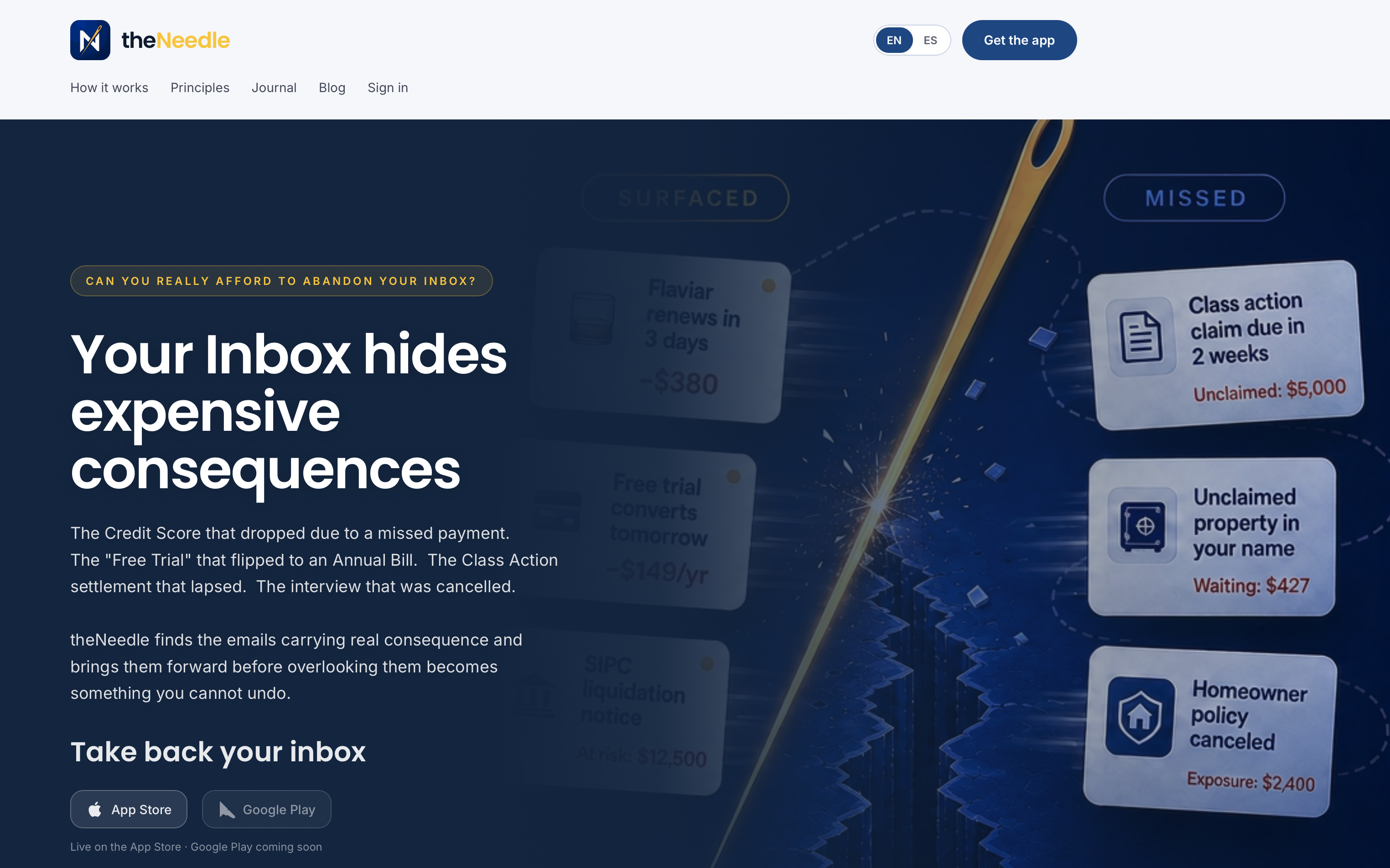
theNeedle is built for that gap. It connects to Gmail, Outlook, Microsoft, Yahoo and iCloud, detects emails with deadlines or significant consequences, and surfaces what is overdue, urgent or high-priority. It also identifies replies you have not handled, tracks opportunities such as credits or refunds, and has a built-in unsubscribe for senders that keep coming back. For people with ADHD, it offers one-at-a-time focus and consequence-based ranking. We cover the idea of surfacing high-stakes mail in our piece on do-not-disturb email, which also discusses the 117 daily emails we cite for the average worker.
theNeedle costs $9.99 per month or $99.99 per year, with a 7-day free trial listed on the pricing page. You can start on the monthly plan page.
If you are comparing options first, our overviews of email prioritization apps and how to choose email management software lay out the criteria.
Our perspective
Most email advice treats your inbox as a volume problem. Sort it, shrink it, schedule it. That helps, and we have recommended much of it above. But people who juggle two jobs rarely get hurt by volume. They get hurt by a single message they never saw.
We think of email as needing a layer of triage, scaffolding around your attention. The question to ask of any message is not “is this from my boss?” or “is this marked important?” It is “what do I lose if this waits?” A missed deadline, a forfeited right, a lapsed refund: those are the quiet costs that never announce themselves.
That is why theNeedle ranks by consequence. We built it to read for deadlines, money and the replies people are waiting on, across the accounts you already use, so that the two-job version of your week has one short list at the top and not two long ones to dig through. For readers with ADHD, we show one item at a time, because a long list is itself a cost.
Habits and tools work best together. Keep your accounts separate, keep your windows, and let the part that is easy to miss be found for you.
Glen Bover
FAQ
Should I use one email account or two for two jobs?
Use two, plus a personal one. Separate accounts keep each job’s messages, calendar and files apart, which lowers the odds of replying from the wrong address and keeps confidential material from crossing over. Read each employer’s policies first, since some restrict outside work or device use.
How often should I check each inbox?
Two or three scheduled windows per inbox is a common starting point. Research from the University of Iowa’s provost office links frequent checking to stress. Tell each employer when you are available and route truly urgent matters to phone or chat.
How do I make sure I do not miss a deadline in the other job’s inbox?
Scan both inboxes for dates, money and direct questions once a day, and review your Waiting For Response folder weekly. An app that ranks by consequence, like theNeedle, can do that scan across both accounts and surface what is overdue or urgent.
Can I read both jobs’ email on one phone or laptop?
That depends on your agreements and each employer’s device policy. Employers may monitor company devices where the law allows, so keep each job’s mail off the other employer’s equipment. If you are unsure what your contract permits, ask an employment attorney.
What if I have ADHD and two inboxes feel impossible?
Cut decisions. Use four folders, two check windows, notifications off and one message at a time. theNeedle’s one-at-a-time focus and consequence-based ranking are designed for this situation. A clinician can help with strategies suited to you.
Sources
- Why is it so hard to do my work? (Sophie Leroy, 2009)
- Email Duration, Batching and Self-interruption (Microsoft Research, 2016)
- Email Load, Workload Stress and Desired Email Load (Stich et al., 2018)
- How to Build a Seamless Workflow Between Two Remote Employers
- Protection of Confidential and Trade Secret Information Best Practices Checklist (ACC, 2022)
- Privacy in the Workplace (Fisher Phillips)
- Why I Changed My Email Setup (Cal Newport)
- ADHD and Email: Stop Your Inbox Ruining Your Day
- Notification fatigue is tanking productivity (CIO Dive, 2022)
- How to Work Two Remote Jobs Successfully (CLIMB)
- How to Prioritize Tasks (Atlassian)
- Getting Email Under Control (University of Iowa Provost, 2022)
- Setting Boundaries Isn’t Selfish (WMN Magazine)
- Setting Boundaries at Work in 2026 (Cultones)