Supamail Alternatives: 7 Inbox Tools Compared for 2026

If you are replacing Supamail, the best alternative depends on what you want your inbox to do. For catching the emails that carry real deadlines, money or legal consequences, we built theNeedle. For speed, look at Superhuman. For folder-based sorting on any provider, look at SaneBox. For bulk cleanup, Clean Email. For a Gmail-only AI client, Shortwave. Below, each option is compared on triage method, supported accounts and published price.
TL;DR
- Best for consequence-based triage: theNeedle ranks mail by what happens if you miss it (deadlines, financial alerts, unhandled replies), at $9.99 per month or $99.99 per year.
- Best for speed: Superhuman is keyboard-driven, but its Starter plan is listed at $30 per month.
- Best for sorting any IMAP account: SaneBox files mail into priority and not-priority folders using headers and metadata.
- Best for bulk cleanup: Clean Email focuses on Smart Unsubscribe and Auto Clean rules.
- Best for Gmail-only AI: Shortwave offers AI search and summaries, but does not support Outlook or IMAP.
Table of Contents
- What to look for in a Supamail alternative
- The options at a glance
- theNeedle: ranking by consequence
- SaneBox: folder-based triage on any provider
- Superhuman: speed for people who live in email
- Shortwave: an AI client built around Gmail
- Spark Mail: a free tier and shared drafts
- Clean Email: bulk cleanup and unsubscribing
- Saner: email inside a broader assistant
- What about teams?
- How to choose
- Our perspective
- Try consequence-first triage
- FAQ
- Sources
What to look for in a Supamail alternative
People usually leave an email tool for one of three reasons: it sorts mail but still lets important messages slip by, it costs more than it saves, or it does not cover every account they use. Those are the three things worth comparing, and a fourth matters if you work with others: whether the tool handles shared work.
Before you compare names, decide which problem you are solving. Email tools fall into rough groups, and mixing them is the most common mistake:
- Triage tools decide what deserves your attention now.
- Fast clients replace your mail app with a quicker interface.
- Cleanup tools remove newsletters and bulk mail.
- Assistant-style apps fold email into tasks, notes and calendar.
- Shared inboxes let a team work one mailbox together.
Volume is the quiet cost here. Our own research reference point is that the average worker receives 117 emails a day, and the cost of that volume is rarely the time spent reading. It is the one message in the pile that carries a deadline, a refund window or a contract term, and gets buried. We explore that gap in our piece on inbox zero versus prioritization.
The options at a glance
| Tool | Approach | Accounts supported | Listed US price |
|---|---|---|---|
| theNeedle | Consequence-based ranking, one email at a time | Gmail, Outlook, Microsoft, Yahoo, iCloud | $9.99 per month or $99.99 per year |
| SaneBox | Header and metadata triage into folders | Any IMAP provider | $7 (Snack), $12 (Lunch), $36 (Dinner) per month |
| Superhuman | Speed-first client with AI triage | Gmail and Outlook | $30 per month (Starter), $40 per month (Business) |
| Shortwave | AI-native Gmail client | Gmail and Google Workspace | Free plan; $30 per seat per month (Business) |
| Spark Mail | Smart Inbox categories, shared drafts | Major providers | Free; $10 per month (Plus); $20 per month (Pro) |
| Clean Email | Bulk cleanup and unsubscribe | Major providers | See the provider’s pricing page |
| Saner | Smart Inbox plus tasks, notes, calendar | Email, notes, tasks and calendar in one app | Free; $8 per month billed annually (Starter) |
Prices for tools other than ours come from third-party reviews and change often, so confirm the current figure on each vendor’s own page before you subscribe.
theNeedle: ranking by consequence
Most inbox tools sort by sender, volume or rules you write. We took a different route. theNeedle is designed to identify emails with tangible legal, financial, deadline or contractual consequences and put them in front of you first, so a refund window or a payment notice does not sit under forty newsletters.
In practice, the app:
- Connects to Gmail, Outlook, Microsoft, Yahoo and iCloud accounts, so multiple inboxes land in one place.
- Detects emails with deadlines or significant consequences and surfaces overdue, urgent and high-priority messages.
- Identifies replies you have not handled yet.
- Tracks opportunities such as credits or refunds.
- Includes built-in unsubscribe for senders that keep coming back.
- Offers ADHD-friendly features: one email at a time, ranked by consequence, so you are not staring at a wall of unread counts.
Pricing is $9.99 per month or $99.99 per year, and there is a free trial. See theNeedle pricing for the current terms.
Best for: professionals, freelancers and anyone juggling several inboxes who has been burned by a missed message. If you are comparing it against the premium clients, our guide to Superhuman alternatives for professionals goes deeper.
SaneBox: folder-based triage on any provider
SaneBox works at the server level and works with any IMAP provider, including Gmail, Outlook, Office 365, Apple iCloud, Yahoo and Fastmail, according to a 2026 software roundup. It sorts incoming mail into priority and not-priority folders.
It analyzes headers and metadata rather than message content, and plans are listed at $7 per month for Snack, $12 for Lunch and $36 for Dinner, with annual billing saving about 20%, per TechSifted’s 2026 tool test. The same review notes a one-to-two-week learning period in which you correct sorting decisions in the SaneLater folder, and that because it reads only headers, it cannot summarize message content.
Best for: people who want a quiet, folder-based inbox and who are comfortable training the system. Sender-based sorting does not distinguish a routine message from a person you email often from a contract notice that needs action this week, which is the gap a consequence-based approach is meant to close.
Superhuman: speed for people who live in email
Superhuman is a speed-focused email client with a keyboard-driven Split Inbox, plus AI Triage and AI Instant Reply, according to TechSifted. PickMySoft’s 2026 comparison lists Starter at $30 per month ($25 per month billed annually) and Business at $40 per month (about $33 billed annually), with custom Enterprise pricing and a trial instead of a permanent free tier.
One reviewer describes the AI as working in the background to identify what needs a reply, what can wait and what can be ignored, and calls the $30 monthly price the main friction point since the product is email-only, with no scheduling, meeting notes or task management.
Best for: heavy email users who value shortcuts and polish above everything else and have the budget for it. Our price comparison is in the Superhuman alternatives guide.
Shortwave: an AI client built around Gmail
Shortwave is an AI-native client for Gmail and Google Workspace, with natural-language AI search and AI-powered filters. Per FrontDeskReview’s pricing page, the Free plan has capped AI usage and 90-day search history, Business is $30 per seat per month, Premier is $45 and Max is $120. The same page says Outlook and IMAP are unsupported and shows no annual prices. TechSifted describes its feature set as Gmail AI chat, bundles and thread summaries.
Best for: teams and individuals who live entirely in Google’s ecosystem. If you also have an Outlook, Yahoo or iCloud address, you will need something that covers those accounts too.

Spark Mail: a free tier and shared drafts
Spark’s Smart Inbox categorizes mail, and paid plans add AI writing tools and metered AI meeting notes. PickMySoft lists Free at $0, Plus at $10 per month ($8.25 billed annually), Pro at $20 per month ($16.58 billed annually) and a custom Enterprise tier. Its standout feature for teams is real-time shared drafts.

Best for: small teams that want to write and edit replies together without moving to a full helpdesk.
Clean Email: bulk cleanup and unsubscribing
Clean Email is about reducing volume rather than ranking what is left. TechSifted summarizes its focus as Smart Unsubscribe, Auto Clean rules and bulk cleanup across major providers.
Best for: a one-time purge of years of newsletters and promotions. Cleanup is a different job from daily triage. A tidy inbox still hides a deadline if nothing tells you which message matters, and a follow-up system addresses the daily rhythm of replies rather than a single cleanup session. For a closer look at what each cleanup tool fixes, see our email decluttering apps roundup.
Saner: email inside a broader assistant
Saner is an AI personal assistant designed for people with ADHD and others dealing with information overload. RightAIChoice’s listing says it brings email, notes, tasks and calendar into one Smart Inbox, extracts tasks from email threads, and is used by more than 100,000 professionals. The listed plans are Free (30 AI messages per month, 100 notes), Starter at $8 per month billed annually and Standard at $16 per month billed annually.
Best for: people who want one workspace for everything rather than a dedicated email tool.
What about teams?
If several people answer the same mailbox, such as a support address, you need a shared inbox rather than a personal triage app. Shared inbox tools offer assignment, internal notes, tagging and saved views; one example is covered in this overview of email management alternatives for support teams. Spark’s shared drafts suit lighter collaboration. For an individual professional with their own accounts, a personal triage tool is the better fit.
How to choose
Work through these questions in order:
- Which accounts do you use? Gmail only opens up Shortwave. Mixed providers point to theNeedle, SaneBox or Spark.
- What is the failure you fear? If it is a missed deadline, refund or contract notice, choose consequence-based ranking. If it is clutter, choose cleanup. If it is slow replies, choose a fast client.
- What will you actually pay? The range above runs from free tiers to $30 per month and beyond.
- Do you struggle with focus? One-at-a-time views and ranked lists reduce decisions. Saner and theNeedle are both built with that in mind.
- Do you work with a team on one mailbox? Look at shared inbox software.
For a wider framework, see how to choose email management software and our look at prioritization apps that catch costly deadlines.
Our perspective
Email has a quiet cost. It is not the hour you spend reading. It is the forfeited right: the refund you did not claim, the contract notice you saw too late, the reply a client waited on.
Volume-based tools treat every message as a sorting problem. We think the better question is consequence: what happens if this one is missed? That is the scaffolding we wanted around attention, and it is why theNeedle ranks by deadlines, financial alerts and unhandled replies instead of sender or rules.
This matters most for people who already carry a heavy load, including freelancers, professionals with several inboxes and readers with ADHD. Fewer decisions, one message at a time, and the consequential ones first. That is triage in the real sense of the word.
Glen Bover
Try consequence-first triage
If the question behind your search is how to stop important emails from slipping past, theNeedle is built for exactly that. It connects your Gmail, Outlook, Yahoo and iCloud accounts, surfaces what is overdue or urgent, and flags replies you still owe.
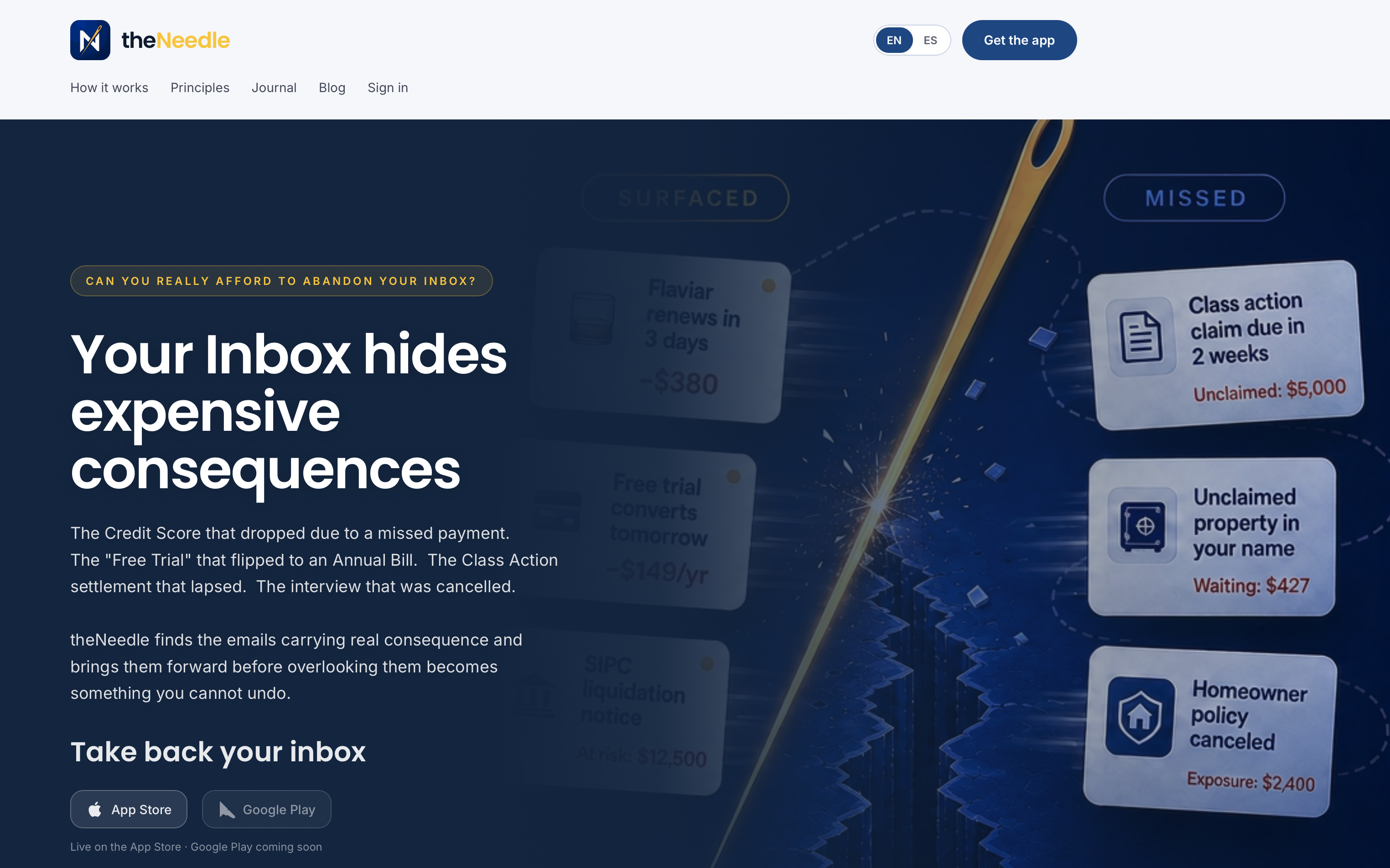
It costs $9.99 per month or $99.99 per year, with a free trial first. Start with theNeedle or review the pricing and trial details.
FAQ
Which Supamail alternative is best for catching deadlines?
theNeedle is designed for this: it ranks email by consequence, so deadlines, financial alerts and unhandled replies rise to the top. SaneBox sorts by sender behavior and Superhuman by speed, which are different jobs. Compare options in our email management apps guide.
Is there a free alternative?
Several tools have free tiers. Shortwave’s Free plan caps AI usage and search history, Spark has a $0 tier, and Saner has a limited free plan, per the sources above. theNeedle starts with a free trial, then $9.99 per month or $99.99 per year.
Which tools work with Outlook, Yahoo and iCloud?
SaneBox works with any IMAP provider, and theNeedle connects to Gmail, Outlook, Microsoft, Yahoo and iCloud. Shortwave supports only Gmail and Google Workspace, according to its listing.
Do any of these help with ADHD?
Saner is positioned for people with ADHD and information overload, and theNeedle offers one-at-a-time focus and consequence-based ranking. Neither replaces professional care. If attention difficulties affect your work, talk to a clinician as well.
Sources
- Best Email Management Tools 2026 (The Software Scout)
- Best AI Inbox Management Tools in 2026 (TechSifted)
- Best Email Client Software in 2026 (PickMySoft)
- Best Proactive AI Assistants in 2026 (lifestack.ai)
- Shortwave pricing (FrontDeskReview)
- Saner pricing and alternatives (RightAIChoice)
- Email alternatives for support teams (SendSync)
- Email follow-up automation (Autofront)