Best Priority Inbox Apps: 6 Options Compared for 2026

The best priority inbox app is the one that ranks mail by the signal you actually care about. Gmail’s built-in Priority Inbox is the free starting point. SaneBox and Spark sort by sender and habit. Superhuman sorts for speed. We built theNeedle to rank by consequence: deadlines, money and rights that expire if you miss them.
This guide compares six real options on how they decide what matters, what they cost and who they suit. It also covers what to check before you hand any app access to your mail.
TL;DR
- A priority inbox separates likely-important mail from the rest. A unified inbox only merges accounts into one view. They solve different problems.
- Gmail Priority Inbox is free and learns from your behavior. Paid apps add speed, filtering or multi-account handling.
- Most apps guess importance from who wrote to you. theNeedle ranks by what happens if you ignore a message: a deadline, a charge, a lost refund.
- Pricing in this group runs from free to roughly $30 a month. theNeedle is $9.99 per month or $99.99 per year.
- Before connecting any app, check which accounts it supports, what it stores and how you revoke access.
Table of Contents
- What a priority inbox app actually does
- How we compared them
- The six options at a glance
- Gmail Priority Inbox: the free baseline
- Superhuman: built for speed
- SaneBox: sorts around your current app
- Spark: multiple accounts and light collaboration
- HEY: a different philosophy
- theNeedle: ranking by consequence
- Where sender-based ranking breaks down
- Perspective: why we rank by consequence
- What to check if you have ADHD or attention difficulties
- Privacy and access: check before you connect
- Which one should you choose?
- Try theNeedle
- FAQ
- Sources
What a priority inbox app actually does
Google introduced the idea in 2010. Its announcement described an inbox that automatically identifies likely-important messages and separates them from the rest. The original layout used three sections: Important and unread, Starred, and Everything else.
The signals were behavioral. Google said it looked at things like your frequent correspondents and which messages you opened or replied to, then improved as you corrected it.
That is different from organizing. VentureBeat’s 2010 explanation drew the line clearly: grouping conversations or helping you find buried mail organizes your inbox, while prioritization tries to tell you what to read first. Google’s product manager also pointed out that a message important to one person may not matter to another.
Three terms get mixed up, so here is how we use them:
- Priority inbox: ranks or splits mail by estimated importance.
- Unified inbox: shows several accounts in one list. It does not judge anything.
- Email management app: a broader category that can include snoozing, unsubscribing, templates and reminders.
Many “best unified inbox” lists rank tools built for customer-support teams. If your problem is that important messages get buried, not that you have too many accounts, you want prioritization.
How we compared them
We judged each app on four questions:
- How does it decide what is important? Sender history, rules you write, AI reading of content, or the consequence of the message.
- What does it cover? Accounts, platforms, and whether it replaces your mail client or sits on top of it.
- What does it cost in the US? Free tier, entry paid plan, and the top of the range.
- Who is it for? A solo professional, a heavy-volume executive, someone who needs fewer choices per message.
Prices below were checked in 2026 and change often. Confirm on each vendor’s page before you buy.
The six options at a glance
| App | How it prioritizes | Best for | US price signal |
|---|---|---|---|
| Gmail Priority Inbox | Learns from who you write to and what you open | Gmail users who want free and simple | Free with Gmail |
| Superhuman | Split inbox, AI triage, speed shortcuts | High-volume users who live in email | Starter $25 per month billed annually, $30 monthly |
| SaneBox | Sorts incoming mail into folders by sender behavior | Keeping your current mail app and trimming noise | $7 to $36 per month by plan |
| Spark | Smart inbox with categories, shared inbox features | Multiple accounts, light team use | Free tier plus paid plans |
| HEY | Screens unknown senders and splits mail into spaces | People willing to switch to a new address | Paid subscription |
| theNeedle | Ranks by consequence: deadlines, money, unhandled replies | Professionals who cannot afford a missed deadline | $9.99 per month or $99.99 per year |
Gmail Priority Inbox: the free baseline
If you use Gmail, try this first. Google’s guide to inbox types says Priority Inbox automatically segments mail into Important and unread, Starred, and Everything else.
It is also more configurable than most people realize. Google’s tips note that you can add a section, show messages from a particular label, change section-size limits, and use filters to mark messages important or unimportant.

Where it works: a steady flow of mail from people you already know. It learns who matters from your replies.
Where it falls short: it judges by relationship and behavior. An automated notice from a company you have never written to, such as a settlement deadline, a billing dispute or a renewal, looks unimportant by those signals. It is also tied to Gmail. Our guide to setting up Gmail multiple inboxes covers a layout that gets more out of it.
Superhuman: built for speed
Superhuman is the premium option for people who process hundreds of messages a day. It splits the inbox, uses AI to triage and rewards keyboard-driven workflows.
According to Morgen’s 2026 pricing breakdown, the standalone Superhuman Mail Starter plan is $25 per month billed annually or $30 monthly, with Business at $33 per month annually and Enterprise priced custom. The same page notes the mail product has no free tier.
Best for: executives and salespeople who already know what matters and want to clear it faster.
Consider: it speeds up processing. It does not tell you that a quiet automated message carries a deadline. You still decide what to open.
SaneBox: sorts around your current app
SaneBox works behind your existing mail client. It learns which senders you engage with and moves the rest into folders, so your main inbox holds what is likely to matter.
Plans follow a meal-plan naming scheme. One pricing breakdown lists Snack at $7 per month, Lunch at $12 and Dinner at $36, with more accounts and features as you go up.
Best for: people who like their current mail app and want fewer interruptions without switching.
Consider: like Gmail’s version, it leans on sender behavior. A first-time sender with a real deadline can land in the folder you ignore.
Spark: multiple accounts and light collaboration
Spark is a full mail client with a smart inbox that groups mail into categories such as personal, notifications and newsletters. It has a free tier and paid plans that add team features, such as shared drafts and comments.
Best for: someone juggling several accounts who wants one tidy place, and small groups that discuss messages before replying.
Consider: its strength is collaboration and layout. Categories are not the same as ranking by risk, so you still scan each category.
HEY: a different philosophy
HEY is an email service with its own address, not an app you add to your current inbox. Unknown senders wait in a screener until you approve them, and approved mail is split into spaces.
Best for: people ready to change addresses and commit to a new way of handling mail.
Consider: the screener keeps strangers out. Automated mail with real consequences, such as a bank notice or a court filing, often comes from senders you have never approved, which is exactly the mail you cannot afford to miss.
theNeedle: ranking by consequence
Most priority tools ask, “Who sent this, and do you usually respond?” We ask something else: what happens if you do nothing?
theNeedle connects to Gmail, Outlook, Microsoft, Yahoo and iCloud. It detects emails with deadlines or significant consequences and surfaces overdue, urgent and high-priority messages first. It also:
- identifies replies you owe and never sent;
- tracks opportunities such as credits or refunds;
- offers built-in unsubscribe for persistent senders.
The approach is described in more detail in how theNeedle prioritizes important emails by consequence and in six moves from seen to resolved.
Best for: freelancers, professionals with several inboxes, and anyone for whom one missed message can cost money or a relationship.
Consider: it is a prioritization tool, not a full mail client built around templates and team threads. Pair it with the client you like.
Where sender-based ranking breaks down
Sender-based ranking works until the important message is a stranger’s. Here are the kinds of mail we see overlooked:
- a class action settlement notice with a claim deadline;
- a payment-failed alert from a service you rarely open;
- a refund or credit that expires if unclaimed;
- a contract renewal that auto-renews unless you cancel by a date;
- a reply to a client that you read, meant to answer and never did.
None of these come from your frequent correspondents. All of them have a cost attached to ignoring them. If your inbox gets fewer than a few dozen messages a day, the built-in tools may be enough. When volume climbs, the quiet cost of one missed message grows with it. The research we cite on our own site puts an average worker’s load at 117 emails a day, and we compare the volume approach with prioritization in Inbox Zero vs. prioritization.
Perspective: why we rank by consequence
We think the industry has spent fifteen years answering the wrong question. Sorting by sender or by rule answers “who is this from?” It does not answer “what does this cost me if I miss it?”
A rule is scaffolding you build by hand and then maintain. Every new sender, every changed billing address and every new vendor breaks it quietly. Learned prioritization reduces that upkeep, a point also explored in this guide to prioritizing tasks. But learning from your habits has a ceiling: it can only reinforce what you already pay attention to.

Consequence is a different axis. A legal notice, a financial alert and a deadline carry stakes whether or not you know the sender. That is the mail where a forfeited right or a lost refund hides, and it is the mail we built theNeedle to pull forward.
We also think attention is part of the design. For people with ADHD, a ranked list of fifty items is still a wall. That is why theNeedle offers a one-at-a-time focus mode with consequence-based ranking, so you face one decision instead of a list. We wrote about that idea in one thing at a time.
— Glen Bover
What to check if you have ADHD or attention difficulties
A priority inbox helps most when it reduces the number of decisions you make, not when it adds a dashboard. Look for:
- A single next action. Can the app show one message at a time?
- Ranking you do not have to maintain. Rule-heavy tools demand executive function you may not have on a bad week.
- Low notification noise. Alerts should be rare and meaningful.
- Unhandled replies surfaced for you. Remembering what you meant to answer is the hardest part.
- Easy unsubscribing. Less incoming noise means less to rank.
Our comparison of distraction-free email apps goes deeper on this. None of this replaces advice from a clinician if attention difficulties affect your work. It is a way to pick a tool that does not fight you.
Privacy and access: check before you connect
Every app on this list needs permission to read your mail. Before you connect, review:
- Which accounts and platforms it supports. Gmail, Outlook, Yahoo and iCloud do not all behave the same way.
- What it stores. Does it keep message content or only metadata?
- How you revoke access. You should be able to disconnect from your email provider’s security settings, not only from the app.
- Whether it replaces your client or sits on top. Overlay tools leave your mail where it is.
- Who can see your mail. Team features mean teammates may see shared threads.
Read each vendor’s privacy policy, and start with a free trial or a secondary account when you can.
Which one should you choose?
- You use Gmail and want free: turn on Priority Inbox and tune its sections.
- You process huge volume and value speed: Superhuman.
- You want your current app, quieter: SaneBox.
- You manage many accounts or share replies: Spark.
- You want to start fresh with a new address: HEY.
- You cannot miss a deadline, refund or legal notice: theNeedle.
These are not exclusive. Some people keep Gmail’s tabs for newsletters and add a consequence layer on top. For broader comparisons, see our guides to email management apps, important email alerts and how to choose email management software.
Try theNeedle
If your worry is the one message that costs real money, theNeedle is built for that. It connects to your existing Gmail, Outlook, Yahoo or iCloud accounts and ranks mail by what is at stake. It starts with a free trial, then costs $9.99 per month or $99.99 per year.
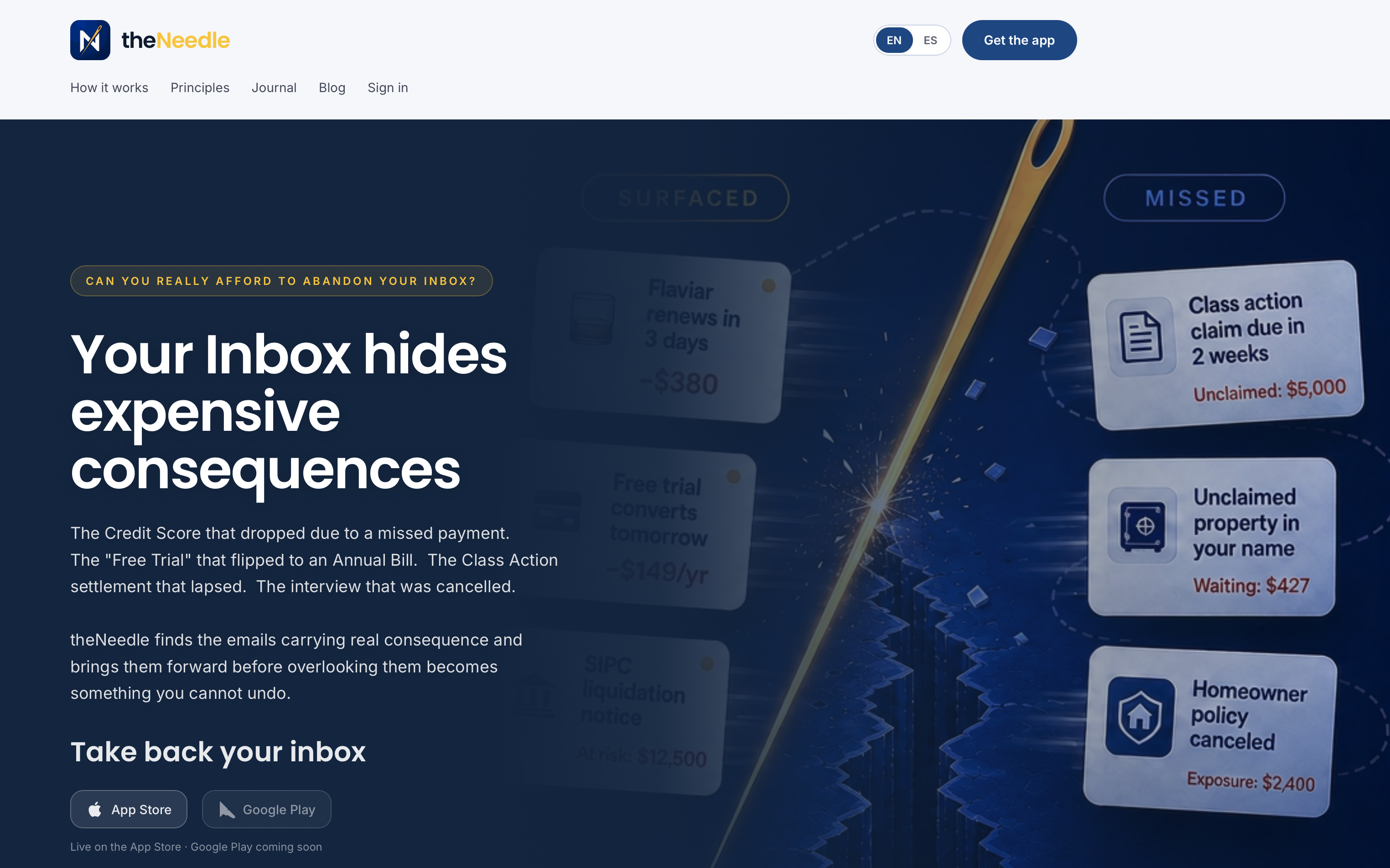
Start with theNeedle and see which messages it pulls forward from your own inbox.
FAQ
What is the difference between a priority inbox and a unified inbox?
A priority inbox ranks mail by likely importance. A unified inbox only combines several accounts into one list and does not judge importance. Some apps do both, but they solve different problems.
Is Gmail Priority Inbox good enough?
For mail from people you know, often yes. Google says it learns from signals such as frequent correspondents and what you open or reply to. It is weaker on automated messages from unfamiliar senders, which can carry deadlines.
Which priority inbox app is best for multiple accounts?
Spark and theNeedle both handle several accounts. Spark leans toward a shared, collaborative client. theNeedle connects to Gmail, Outlook, Microsoft, Yahoo and iCloud and ranks mail across them by consequence.
Are priority inbox apps safe to use?
They need access to your mail, so safety depends on what each stores and how access is controlled. Read the privacy policy, confirm you can revoke access from your email provider, and try a trial first.
How much do priority inbox apps cost?
Gmail’s feature is free. Paid apps range from about $7 per month for SaneBox’s entry plan to $25 to $30 per month for Superhuman Mail. theNeedle is $9.99 per month or $99.99 per year.
Sources
- Google Blog: Email overload? Try Priority Inbox
- Google Cloud Blog: 5 tips for using Priority Inbox
- VentureBeat: Gmail’s Priority Inbox strikes a blow against email overload
- Google: How to choose the best Gmail inbox type
- Morgen: Superhuman pricing and features