Best Multiple Inbox Apps in 2026: 7 Options Compared

The best multiple inbox app depends on what you need after your accounts are combined. If you only want every account in one list, Thunderbird or Mailbird will do it. If you work with a team, Missive is built for that. If your real fear is missing the one email with a deadline, a refund window or a contract clause buried in the pile, theNeedle is the one we built for that job.
Most lists stop at “unified inbox.” That solves switching between tabs, but it can make the pile bigger, because now three or five accounts feed a single stream. Below, we compare real options on supported accounts, price in US dollars, and the problem each one actually fixes.
TL;DR
- A multiple inbox app merges several accounts into one view, so you stop switching between apps or tabs.
- Thunderbird is a free, open-source pick for unlimited accounts; Mailbird suits Windows users; Missive suits teams.
- Merging accounts does not tell you which message matters. Consequence-based ranking is the missing layer.
- theNeedle connects Gmail, Outlook, Microsoft, Yahoo and iCloud, and costs $9.99 per month or $99.99 per year after a free trial.
- Match the app to your biggest constraint: team, privacy, platform or missed deadlines.
Table of Contents
- What a multiple inbox app actually does
- The apps at a glance
- theNeedle: the pick when missed emails are the real cost
- Thunderbird: the free, do-it-yourself hub
- Mailbird: a clean desktop hub for Windows
- Missive: when the inbox is a team sport
- Canary Mail: broad account support with a security angle
- Proton Mail and Hey: the privacy and opinion picks
- Where the real cost hides: consequence, not volume
- How to choose: a short decision guide
- Our perspective
- Try theNeedle across your accounts
- FAQ
- Sources
What a multiple inbox app actually does
A multiple inbox app combines messages from several email accounts in one view, so you can read and reply across accounts without switching between separate tabs or apps. Typical setups include a work account, a personal Gmail, a freelance address and an old Yahoo or iCloud account you still need for banking or subscriptions.
Three things separate the apps:
- Account support. Which providers connect: Gmail, Outlook, Yahoo, iCloud, or any IMAP account.
- Platform. Windows, Mac, iOS, Android, Linux, or web.
- What happens after the merge. Plain unified list, team collaboration, privacy tooling, or prioritization.
That third point is where most people get stuck. Reviewers who rank these apps note that no single app tops every category, so the right pick comes from your setup and your biggest constraint, not a universal winner.
The apps at a glance
| App | Best for | Starting price (US) | Notes |
|---|---|---|---|
| theNeedle | Not missing consequential emails across accounts | $9.99/month or $99.99/year | Gmail, Outlook, Microsoft, Yahoo, iCloud; free trial |
| Thunderbird | Free unlimited accounts | Free | Open source; Windows, Mac, Linux |
| Mailbird | Windows desktop hub | Free tier for one account; $4/user/month billed yearly | One-time license of $99.75 also listed |
| Missive | Teams with shared inboxes | $14/user/month, billed yearly | Starter plan, up to 5 users |
| Canary Mail | Multi-platform with security focus | See the provider’s page | Supports Gmail, Outlook, iCloud, Exchange, Yahoo and IMAP |
| Proton Mail | Privacy | Free plan with 1GB; Mail Plus from $4.99/month | Its own ecosystem |
| Hey | Opinionated personal email | $99/year | No IMAP or POP support |
Prices change, so confirm on each provider’s page before you subscribe. The figures above come from the sources linked in each section.
theNeedle: the pick when missed emails are the real cost
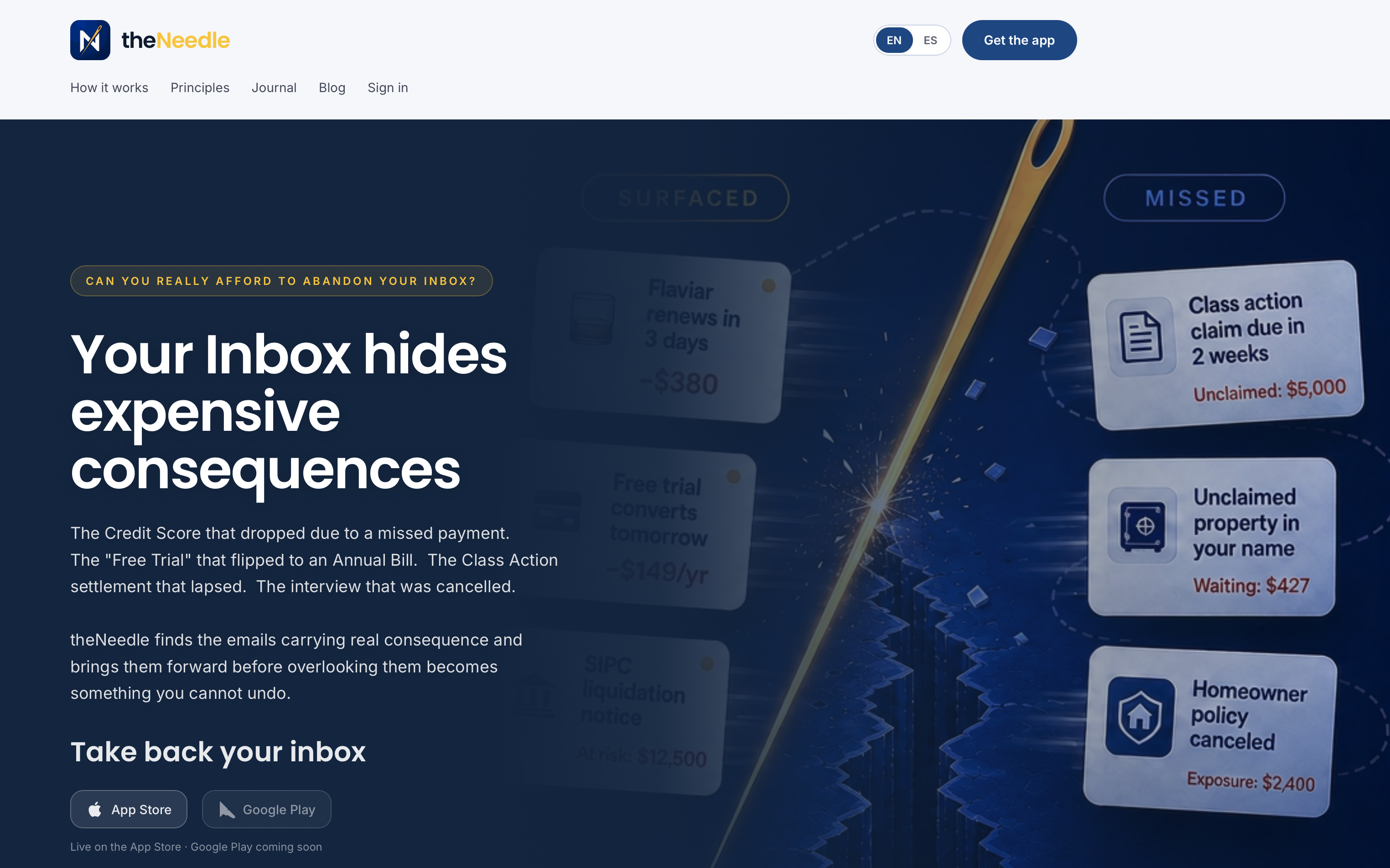
We built theNeedle around a simple observation: a unified inbox treats a newsletter and a notice about a forfeited right the same way. Both are just rows. Our approach is different. theNeedle is designed to identify emails with significant consequences, such as deadlines, financial alerts and essential communications, and bring them forward first.
What it does, based on how the product works today:
- Connects the accounts you already have: Gmail, Outlook, Microsoft, Yahoo and iCloud.
- Surfaces overdue, urgent and high-priority messages so you see them before the rest.
- Flags unhandled replies, the threads where someone is waiting on you.
- Tracks opportunities like credits and refunds that are easy to forfeit by ignoring an email.
- Offers built-in unsubscribe for persistent senders, so the noise shrinks over time.
- ADHD-friendly focus: one message at a time, ranked by consequence rather than by arrival time.
The context for this is volume. Recent research cited in our own materials puts the average worker at 117 emails a day. Spread across several accounts, the odds that one of those is a contract renewal, a payment notice or a claim deadline grow quickly, and a plain unified list does not help you find it.
Pricing is $9.99 per month or $99.99 per year, with a free trial. If you want the deeper breakdown, see our comparison of multi-account email apps and our guide to three architectures for managing multiple inboxes.
Thunderbird: the free, do-it-yourself hub
Thunderbird remains a leading free, open-source choice for managing unlimited accounts with a unified inbox across Windows, Mac and Linux, and it relies on local processing for privacy.
Who it fits: people comfortable with a desktop client who want zero subscription cost and full control. You can build folders, filters and rules to sort mail yourself.
The trade-off to plan for: the sorting is yours to design. Rules based on sender or subject do what you tell them, which works well for predictable mail. A one-off notice from an unfamiliar sender is exactly the kind of message a rule you wrote last year will not anticipate. Many people pair a free client like this with a consequence-focused layer on top.
Mailbird: a clean desktop hub for Windows
Mailbird is a Windows-first client with an optional unified inbox. One October 2026 check lists a free tier for one account, premium at $4 per user per month billed yearly, and a one-time lifetime license of $99.75. A March 2026 roundup of clients for multiple Gmail accounts also positions Mailbird as a tidy desktop hub for that use.
Who it fits: Windows users with two to five accounts who want a polished interface and a lower yearly cost than most paid rivals.
Worth knowing: the free tier covers one account, so the multi-account use case needs a paid plan. Check the provider’s page for the current plan structure.
Missive: when the inbox is a team sport
Missive supports shared inboxes, where teams can assign email threads, add internal comments and draft responses together. Its Starter plan begins at $14 per user per month for up to 5 users, billed yearly, as of June 2026.
If your team handles a shared address like support@ or hello@, assignment and internal comments stop two people from answering the same message. For a practical walkthrough of that workflow, see this guide to setting up a shared omnichannel inbox for a small team.
Who it fits: small teams and agencies. The same review that recommends it for teams also describes it as overkill for a solo user, so if you are the only person in your inbox, look at the other options here.
Canary Mail: broad account support with a security angle
An independent review describes Canary Mail as supporting Gmail, Outlook, iCloud, Exchange, Yahoo and IMAP, across macOS, iOS, Windows and Android, with multiple accounts managed from one interface. That cross-platform reach makes it a sensible candidate if you switch between a Mac laptop, an iPhone and a Windows desktop. Confirm current plan pricing and feature limits on the provider’s own site before you commit, since AI and security features are often tied to paid tiers.
Proton Mail and Hey: the privacy and opinion picks
These two belong on the list for people who care less about merging accounts and more about changing how email works.
Proton Mail offers a free plan with 1GB of storage and limited features, with Mail Plus subscriptions starting at $4.99 per month. It is a privacy-first service with its own address, so it replaces an account rather than merging your existing ones. If tracker blocking matters to you across all your devices, this checklist on stopping email trackers across devices covers practical steps that apply whichever client you choose.
Hey by Basecamp runs on $99 per year for individuals, with no support for IMAP or POP, which means you use its own apps and its own address. That is a clean break from your current accounts, not a way to combine them.
So if your goal is literally “I have five inboxes and need them together,” neither is the direct answer. Both are worth considering if you are willing to move.

Where the real cost hides: consequence, not volume
Here is the part most comparison lists skip. Imagine three accounts, each with a hundred unread messages. A unified inbox shows you three hundred. You then do what everyone does: scan senders, open what looks familiar, and postpone the rest.
The postponed messages are where the quiet cost lives. A settlement claim deadline. A refund that expires. A renewal that auto-charges. A client waiting on a reply for nine days. None of these look dramatic in a subject line, and none are guaranteed to come from a sender you recognize.
Sender-based filters and VIP lists help, but they rank by who wrote, not by what is at stake. That distinction, importance to you versus consequence if ignored, is what we designed theNeedle around. Think of it as triage: before you read anything else, the app asks which message could cost you something if it sat another week.

We go deeper on this in our look at email management apps that catch the one critical message and in how to choose email management software.
How to choose: a short decision guide
Start with your biggest constraint, then pick.
- “I work alone and miss important emails.” Choose a consequence-ranking tool like theNeedle, optionally alongside a free client.
- “I want free and I like tinkering.” Thunderbird.
- “I’m on Windows and want something tidy.” Mailbird.
- “We share an inbox as a team.” Missive.
- “I use many devices and want broad provider support.” Canary Mail.
- “I want privacy and will switch addresses.” Proton Mail.
- “I want a different philosophy of email and will pay $99 a year for it.” Hey.
A few questions to run through before paying:
- Which providers do all your accounts use, and does the app support each one?
- Do you need it on phone and desktop?
- Do you need collaboration, or only your own view?
- What does a missed email cost you: annoyance, or money and relationships?
- Do you need support for attention differences such as ADHD, where seeing one message at a time reduces overwhelm?
If you are a freelancer juggling client addresses, our layered stack for freelancers shows how to combine tools. If most of your accounts are Microsoft, read about prioritizing across five Outlook accounts.
Our perspective
We hear the same story from people with several inboxes. They merged everything into one view, felt relief for about a week, and then missed something anyway.
Our view is that the scaffolding around your attention matters more than the number of accounts you can connect. Showing every message in one place is useful, but it leaves the hardest job to you: deciding, hundreds of times a day, what could cost you if it waits.
That is why theNeedle ranks by consequence. Deadlines, financial alerts, unanswered replies and refunds or credits come first, and the newsletters can wait. For people who lose focus in a long list, seeing one message at a time turns an overwhelming pile into a short sequence of decisions.
If you already like a client such as Thunderbird or Mailbird, keep it. Add the layer that tells you what matters most.
Glen Bover
Try theNeedle across your accounts
If you want to see your own inboxes ranked by consequence, theNeedle connects to Gmail, Outlook, Microsoft, Yahoo and iCloud and starts with a free trial. After that it is $9.99 per month, or $99.99 per year if you prefer to pay annually.
Start with theNeedle monthly, or read our guide to organizing your inbox for productivity and calm first.
FAQ
What is the best app for managing multiple email accounts?
It depends on your constraint. Thunderbird is the best free option, Mailbird suits Windows, and Missive suits teams. If your priority is catching deadlines and financial notices across accounts, theNeedle is built for that.
Can I combine Gmail, Outlook, Yahoo and iCloud in one app?
Yes. Most multiple inbox apps support these providers, and theNeedle connects to all four. Check each app’s supported-account list first, since some services use their own address system instead, as Hey does without IMAP or POP support. Our guide on combining email accounts covers the setup choices.
Is a unified inbox the same as prioritizing important emails?
No. A unified inbox only gathers messages in one place. Prioritization decides which ones to read first. theNeedle adds the second step by ranking messages by consequence, such as deadlines and financial alerts.
Do I need a paid app, or is free enough?
Free clients like Thunderbird handle merging well and are enough if you are happy writing your own rules. Paid tools make sense when a missed message costs real money or goodwill, or when you need team features.
Sources
- Best Unified Inbox Apps in 2026, Toolfinder
- Best App to Manage Multiple Email Accounts 2026, Email Tools
- 11 Best Email Clients for Windows and Mac (2026), EmailAnalytics
- Get an Omnichannel Inbox Running in Days for Small Teams, VOICERAcx
- 5 Moves to Stop Email Trackers Across Devices, TechStackToday