Best Follow-Up Reminder Apps: 6 Options Compared

The best follow-up reminder app depends on which kind of follow-up is costing you. If you need to chase people who haven’t answered, a sales-style tracker such as Yesware or Mixmax fits. If you need the free built-in option, Gmail Nudges or Outlook flags will do. If the real risk is missing the messages that carry deadlines, money or contracts, theNeedle ranks your inbox by consequence and is the one we’d put first.
This guide compares six approaches on what they actually remind you about, which inboxes they cover, what they cost in the US, and who each is built for.
TL;DR
- Gmail Nudges and Outlook flags are free and already installed, but they depend on you remembering to use them or on passive suggestions.
- Yesware and Mixmax are built for outreach and sales: tracking opens and automating sequences, at team-level prices.
- theNeedle (9.99 USD per month or 99.99 USD per year) ranks email by consequence: deadlines, financial alerts, unhandled replies and refunds.
- Choose by the failure you want to prevent: the unanswered prospect, the forgotten reply, or the missed deadline.
- Check inbox support, how many accounts you can connect, and what the app reads before you commit.
Table of Contents
- Three kinds of follow-up, and why the app category matters
- How we compared these apps
- Quick comparison
- theNeedle: reminders ranked by consequence
- Gmail Nudges: free and passive
- Outlook follow-up flags: reliable if you remember them
- Yesware: outreach tracking for sales
- Mixmax: sequences and scheduling
- Calendar and task apps as reminder tools
- Which one fits you
- What to check before you choose
- Perspective: why we rank by consequence
- Try theNeedle if consequences are your problem
- A simple follow-up routine that works with any app
- FAQ
- Sources
Three kinds of follow-up, and why the app category matters
“Follow up” means three different things, and most apps solve only one.
1. You are waiting on someone. You sent a proposal, an invoice or a question, and nobody replied. You need a nudge that resurfaces the thread.
2. Someone is waiting on you. A client wrote on Tuesday, you meant to answer, and it sank below forty newer messages. You need the unhandled reply brought back up.
3. Something has a clock on it. A renewal window, a payment notice, a settlement claim form, a contract signature. Nobody is chasing you, so nothing prompts you, yet the cost of missing it is real.
Sales tools are strongest at the first. Native mail features partly cover the first and second. The third is the quiet cost most reminder apps never touch, because they treat every message as equally important until you say otherwise.

How we compared these apps
We looked at five things that matter once the novelty wears off:
- What triggers a reminder: your manual action, a time delay, or the app’s own judgment.
- Inbox coverage: Gmail, Outlook, Yahoo, iCloud, and whether you can connect more than one account.
- Direction: reminders for sent mail, received mail, or both.
- Price in US dollars: per user, per month, and what the plan includes.
- Fit: the person the tool was designed around.
Where a price below comes from a published comparison rather than the vendor’s own page, we say so and name the year. Plans change, so confirm on the vendor’s pricing page before you buy.
Quick comparison
| App | Best for | Reminds you about | Inboxes | Price signal |
|---|---|---|---|---|
| theNeedle | Missing consequential emails | Deadlines, financial alerts, unhandled replies, credits and refunds | Gmail, Outlook, Microsoft, Yahoo, iCloud | 9.99 USD/month or 99.99 USD/year |
| Gmail Nudges | Free, light prompts | Emails that may need a reply or follow-up | Gmail | Free |
| Outlook follow-up flags | Manual, date-based reminders | Messages you flag with a due date | Outlook | Included with Outlook |
| Yesware | Sales outreach | Sent messages and tracked engagement | Gmail, Outlook | $19 to $85 per user/month (2026) |
| Mixmax | Sequences and scheduling | Outreach cadences, replies | Gmail and Outlook-style workflows | $34 to $105 per user/month |
| Calendar or task apps | Time-based to-dos | Whatever you add by hand | Varies | Varies |
theNeedle: reminders ranked by consequence
theNeedle takes a different starting point from the rest of this list. Instead of asking you to flag messages or set timers, it looks for emails with tangible consequences, such as deadlines, financial alerts, contractual or legal notices, and surfaces them for attention.
What that looks like in practice:
- Overdue, urgent and high-priority messages are surfaced, so the thing with a clock on it doesn’t sit beneath newsletters.
- Unhandled replies are identified, covering the “someone is waiting on you” case that outreach tools ignore.
- Opportunities such as credits or refunds are tracked, so money you are owed doesn’t expire unnoticed.
- Built-in unsubscribe for persistent senders thins out the noise that buries important mail.
- Multiple inboxes: it connects to Gmail, Outlook, Microsoft, Yahoo and iCloud accounts.
- One-at-a-time focus with consequence-based ranking, which we designed with ADHD-friendly workflows in mind.
Pricing is 9.99 USD per month or 99.99 USD per year, and there is a free trial. It is built for individuals: busy professionals, freelancers and people juggling several accounts, not enterprise sales teams.
If you want a deeper look at how it handles replies specifically, our guide on tracking unanswered emails by reply, not opens walks through the approach.
Gmail Nudges: free and passive
Gmail has a built-in feature that moves some messages back to the top of your inbox with a prompt. According to a Gmail settings walkthrough, Nudges are turned on in general settings and show emails that might need a reply or another message at the start of the list. A step-by-step Gmail follow-up guide describes the two options to enable: suggest emails to reply to, and suggest emails to follow up on.
Where it works: a quiet inbox, a few key threads, and a user who doesn’t mind that the prompts are suggestions.
Where it strains: Nudges don’t know that one message contains a payment deadline and another is a casual “thanks.” They rank by recency and reply patterns, not consequence, and they only cover Gmail.
Outlook follow-up flags: reliable if you remember them
Outlook’s native approach is manual. Microsoft’s own support page explains that you flag a message and set a due date, and Outlook then raises a reminder dialog for you. It’s dependable for messages you’ve already decided matter.
The gap is the decision itself. A flag only helps for the email you noticed. If the important message is the one you never opened, no reminder exists. And dialog alerts can fail when Outlook isn’t running or settings differ across devices; our piece on what to check when Outlook follow-up alerts fail covers the usual culprits.
Yesware: outreach tracking for sales
Yesware is designed for people who send a lot of outbound email and want to know what happened to it. It supports both Gmail and Outlook, and a 2026 comparison of Yesware and Mixmax lists tiers from $19 per user per month for Pro up to $85 per user per month for Enterprise.
It makes sense if your job is pipeline: prospects, sequences, engagement tracking. It is less suited to a freelancer or manager whose follow-up problem is inbound, because it’s designed around what you send rather than what’s quietly due.
Mixmax: sequences and scheduling
Mixmax sits in the same outreach category, with scheduling, sequences and automated follow-ups. The same 2026 comparison reports an Inbox Copilot plan at $34 per user per month ($29 billed annually) and Mixmax Suite at $105 per user per month.
Those are team-tool prices. For a revenue team they can be justified by the volume of outreach; for an individual who mainly needs not to drop balls, they’re a lot of machinery.
Calendar and task apps as reminder tools
Many people build a follow-up system out of a to-do list or calendar: copy the email into a task, add a date, move on. It works, and it’s flexible. The cost is the copying. Every reminder starts with you noticing the email and spending thirty seconds turning it into a task, which is exactly the step that fails on a bad day. If you want to explore that route, our comparison of best email-to-task apps sorts them by workflow, and a roundup of time management apps can help you judge what a scheduling layer adds.
Which one fits you
You chase prospects or customers. Start with Yesware or Mixmax. Your follow-up problem is outbound, and they track it.
You live in Outlook and already triage carefully. Flags plus a disciplined daily pass may be enough. Add a consequence-ranking layer if you still miss things.
You use Gmail and have a light inbox. Turn on Nudges and see how far free gets you.
You run several inboxes, miss things that cost money, or struggle with prioritizing. This is the profile theNeedle was designed around: it connects multiple accounts, ranks by consequence, and shows one item at a time so a long list doesn’t become another source of dread.
You get a lot of mail, and a lot of it is automated. The danger isn’t forgetting to follow up on a person. It’s the automated notice, the payment warning or the confirmation with a deadline buried in paragraph four. For that, a consequence-based approach beats timers. Our overview of consequence-first email productivity apps explains the distinction in more detail.

What to check before you choose
A reminder app sees your mail, so treat setup as part of the decision.
- Inbox support. Confirm your provider (Gmail, Outlook, Yahoo, iCloud) and that you can connect every account you use, not just one.
- What the app reads. Email apps need permission to read message content to rank or remind. Read the privacy policy and the permissions screen before you approve access.
- Reply direction. Decide whether you need reminders for mail you sent, mail you received, or both. Many tools only do one.
- Trigger quality. A reminder that fires on every message becomes noise within a week. Look for ranking, not just timers.
- Team needs. If you must coordinate with colleagues, shared sequences in Mixmax or Yesware are a team feature. Individual tools keep your list personal.
- Price per person. Team-tier prices add up; an individual subscription is easier to justify for a single user.
- Exit path. Check that you can disconnect the app and revoke inbox access from your provider’s account settings.
For a wider framework, see our guide on how to choose email management software.
Perspective: why we rank by consequence
We built theNeedle because we kept seeing the same pattern. People don’t lose money because they forgot to chase a prospect. They lose it because a message with a real deadline looked, in the list, exactly like everything else.
Follow-up reminders are a good idea, but most of them are scaffolding you have to build yourself: flag this, snooze that, set a date. That works until you’re tired, busy, or managing attention that’s already stretched thin. The messages that matter most are often the ones you never marked.
Our view is that the inbox needs triage, not more timers. Surface what carries a legal, financial or deadline consequence, show it one item at a time, and let the rest wait. That’s the idea behind consequence-based ranking, and it’s why we also track unhandled replies and things like credits and refunds that quietly expire.
The average worker receives 117 emails a day, according to the research we draw on. At that volume, the question isn’t how to remember more. It’s how to see less, but see the right things.
Glen Bover
Try theNeedle if consequences are your problem
If your worry is the email that quietly costs you, theNeedle connects to your Gmail, Outlook, Microsoft, Yahoo and iCloud accounts, surfaces overdue and high-priority messages, and flags replies you haven’t handled. It’s 9.99 USD per month or 99.99 USD per year, with a free trial.
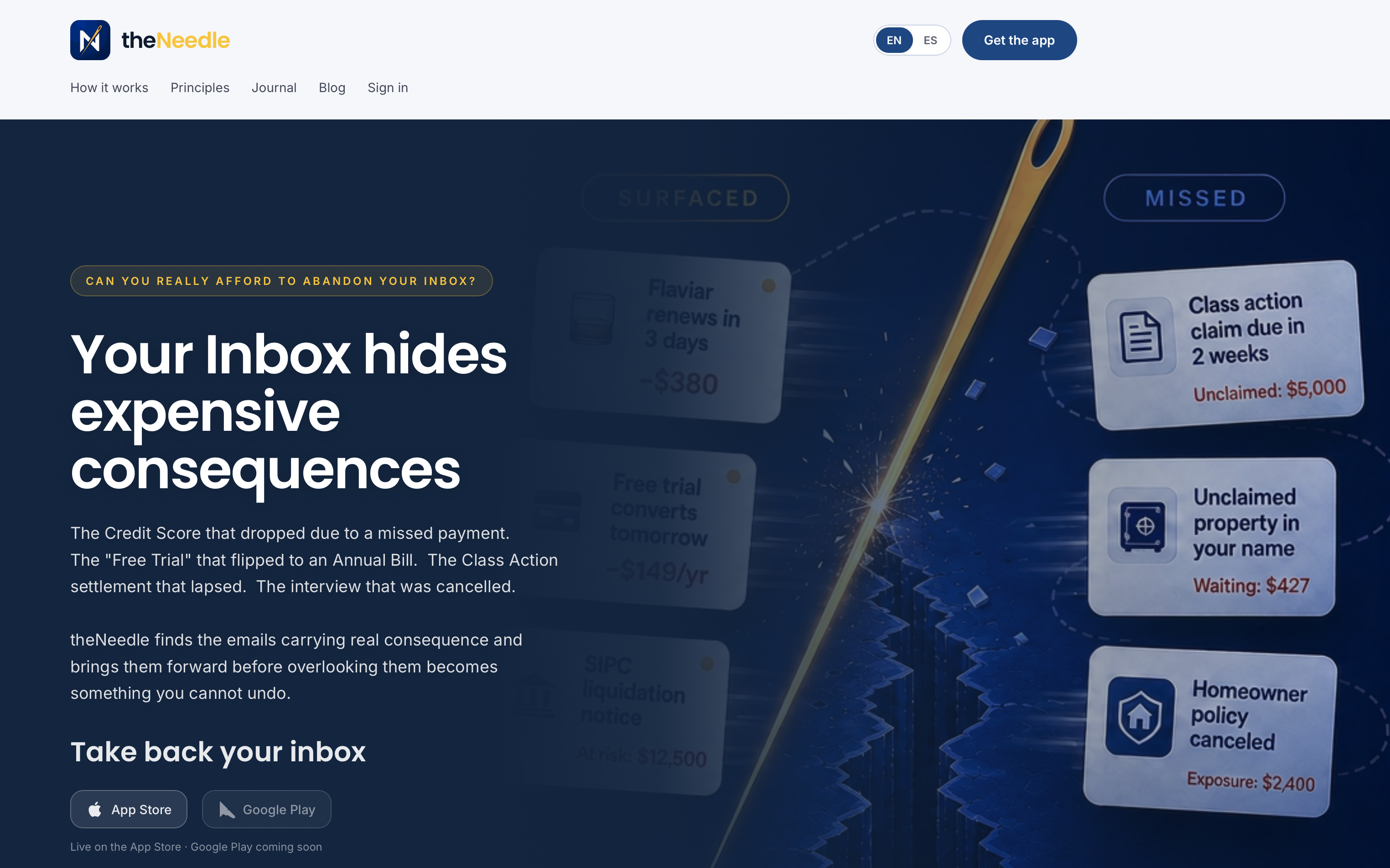
You can start with theNeedle’s monthly plan or see the full picture at theneedle.dev.
A simple follow-up routine that works with any app
Whichever tool you pick, a short routine makes it stick.
- Clear the consequential items first. Open whatever your app surfaces as overdue or urgent and handle those before anything else.
- Reply or reschedule in one touch. If you can answer in two minutes, do it. If not, give the message a specific return date, not “later.”
- Chase on a fixed rhythm. For mail you sent, pick a standard gap, such as three business days, and follow up once in the same thread.
- Remove repeat noise. Unsubscribe from persistent senders so important mail stays visible. Our guide to organizing your inbox for productivity and calm shows a lightweight version.
- Finish with a weekly sweep. Ten minutes on Friday for anything unanswered or approaching a deadline.
If you want a ready-made pass for deadlines, our email deadline reminders guide breaks it into two timely nudges.
FAQ
What is the best free follow-up reminder app?
For Gmail users, Nudges are the simplest free option, and you turn them on in general settings. Outlook users can flag messages with a due date, which Microsoft documents on its support site. Both are useful but depend on you noticing the right email in the first place.
Can a reminder app follow up automatically when someone doesn’t reply?
Yes, outreach tools like Yesware and Mixmax are built around automated follow-ups and sequences. They fit sales and outreach teams. If you want to catch replies you owe rather than automate messages you send, theNeedle identifies unhandled replies in your inbox.
Do any of these apps work with more than one email account?
Yes. theNeedle connects to Gmail, Outlook, Microsoft, Yahoo and iCloud accounts. Yesware supports both Gmail and Outlook. Gmail Nudges cover Gmail only, and Outlook flags work inside Outlook.
What should I check for privacy before connecting an app?
Read what permissions the app requests, whether it reads message content, and how you revoke access. You can usually disconnect an app from your email provider’s account security settings. Do this before you commit to a paid plan.
Is a follow-up reminder app worth paying for?
It depends on the cost of a missed message. If a missed deadline, refund or client reply has cost you money or goodwill, an individual plan at 9.99 USD per month is a small price to pay for a system that surfaces those messages. If your inbox is light, the free built-in tools may be enough.
Sources
- Gmail Settings: Every User Should Know, DejaFlow
- How to Follow Up in Gmail, Mailmeteor
- Send an email message with a follow-up reminder in Outlook, Microsoft Support
- Mixmax vs Yesware: Cold Email Platform Comparison, RevenueFlow
- Best Time Management Apps for Students, AnyLearns Blog