Best Email Reminders App: 6 Options Compared for 2026

The best email reminders app depends on what kind of email you keep missing. If the problem is messages with real consequences, such as deadlines, payment notices, refunds and contract terms, theNeedle is built for that. If you mostly need to resend or snooze messages on a schedule, a follow-up plugin like Boomerang or Mailbutler fits. If you want a cleaner inbox with light reminders, a client like Spark is the simpler pick.
This guide compares six realistic options, explains how email apps decide what is “important,” and shows how to set up alerts without drowning in notifications.
TL;DR
- Best for consequence-driven alerts: theNeedle reads your inbox for deadlines, financial notices and unanswered replies, and ranks them by what you stand to lose. It costs $9.99 per month or $99.99 per year.
- Best for send-later and follow-up nudges: Boomerang for Gmail and Mailbutler focus on scheduling and reminding you to follow up on sent messages.
- Best for a friendlier inbox: Spark and similar email clients add snooze and pinning, but you decide what matters.
- Best for turning email into tasks: Todoist, TickTick and Microsoft To Do hold the reminder, while you do the copying.
- Set alerts narrowly: alert on a few consequence categories, not on every sender.
Table of Contents
- What an email reminder app actually does
- How email apps decide a message is important
- The six options compared
- How to choose: match the tool to the failure
- Setting up urgent email alerts without alert fatigue
- What about teams?
- The quiet cost of missed email
- Try theNeedle on your own inbox
- A simple decision path
- FAQ
- Sources
What an email reminder app actually does
An email reminder app closes the gap between reading a message and acting on it. Most missed deadlines are not caused by messages you never saw. They happen because you saw the email, meant to deal with it later, and the message sank under forty newer ones.
The tools in this category tend to do one of four jobs:
- Snooze or resurface: hide a message and bring it back at a time you choose.
- Follow-up nudges: remind you when a sent message has not received a reply.
- Task conversion: turn a message into an item on a to-do list with a due date.
- Detection: read incoming mail, find the ones that carry a deadline or financial consequence, and flag them without your help.
The first three need you to decide, in the moment, that a message matters. That is the weak point. When you are busy, the decision is the first thing to go. Detection tools move that decision off your plate.
How email apps decide a message is important
It helps to know what is going on under the hood, because it explains why different apps surface different things.
The best-known early example is Gmail’s Priority Inbox. When it launched in 2010, it looked at each incoming message using clues about who it was from, what the text said, and other signals such as whether it went to a mailing list or just to you. You could teach it by marking messages important or not important.
That model, sender plus content plus training, is still the backbone of most “priority” features. It works well for relationship importance: your manager, your biggest client, your spouse. It works less well for consequence importance, because the email that costs you money is often from a sender you have never heard of: a billing department, a court administrator, a settlement notice, a landlord’s agent.

That is the gap theNeedle is designed around. Instead of asking “who sent this?”, it looks for what the message could cost you if ignored: a deadline, a financial alert, a contractual term, an unhandled reply, or an opportunity such as a credit or refund.
The six options compared
| App | Core job | Works with | Starting price | Best for |
|---|---|---|---|---|
| theNeedle | Detects and ranks consequential emails and deadlines | Gmail, Outlook, Microsoft, Yahoo, iCloud | $9.99/month or $99.99/year | Busy professionals, freelancers, multiple inboxes, ADHD-friendly focus |
| Boomerang for Gmail | Send later, snooze, reply reminders | Gmail | From $4.98/month per Capterra | Gmail users who track outgoing follow-ups |
| Mailbutler | Follow-up reminders, tracking, templates | Outlook (Windows, Mac, mobile, web) and others | See provider’s pricing page | Teams that live in Outlook |
| Spark | Email client with snooze and shared inbox features | Multiple providers | See provider’s pricing page | People who want a nicer inbox |
| Todoist / TickTick / Microsoft To Do | Task reminders with due dates | Any, via forwarding or copy-paste | Free tiers available | People who already run their life from a task list |
| Native snooze (Gmail, Outlook, Apple Mail) | Resurface a message later | Own provider only | Included | Light, occasional use |
theNeedle
We built theNeedle for the person whose inbox has become a pile where the important things hide. It connects to Gmail, Outlook, Microsoft, Yahoo and iCloud accounts, so one view can cover several inboxes. It then:
- detects emails with deadlines or significant consequences
- surfaces overdue, urgent and high-priority messages
- identifies replies you have not handled yet
- tracks opportunities such as credits or refunds
- offers built-in unsubscribe for senders that keep coming back
It also has an ADHD-friendly mode that shows one item at a time and ranks by consequence, which removes the paralysis of a wall of unread mail. The tradeoff by design is that it is not a general-purpose email client. It sits on top of the mail you already use and tells you what needs you.
Pricing is $9.99 per month or $99.99 per year, with a free trial. You can see the plans on the theNeedle subscription page.
Boomerang for Gmail
Boomerang is a long-standing Gmail add-on. It lets you schedule messages and bring a conversation back if no one replies. Capterra lists a starting price of $4.98 per month, with a free version and a free trial. It is strong if your worry is “did they answer me?” It is less suited to the worry “what did someone send me that I must act on?”, since you still pick which messages to resurface.
Mailbutler
Mailbutler is a productivity plugin that, according to Microsoft’s app certification listing, supports Outlook 2013 or later on Windows, Outlook 2016 or later on Mac, Outlook on iOS and Android, and Outlook on the web. It bundles follow-up reminders with templates and tracking. Check the current plan page for prices, since they change by tier and billing period.
Spark
Spark is an email client rather than a reminder layer. Zapier’s roundup of email apps recommends it for people who want an app that makes managing their inbox easier. You get snoozing and organization tools, and you replace your mail app instead of adding to it. Reminders there are things you set yourself.
Task apps: Todoist, TickTick, Microsoft To Do
Top-ranking reminder roundups are dominated by these apps. They are excellent at holding a due date and nagging you about it. The weakness for email is the handoff: someone has to read the message, spot the deadline and create the task. If that someone is a tired you at 9 p.m., items slip through. They pair well with a detection tool, and our own guide to email-to-task apps compared by workflow walks through the combinations.

Built-in snooze
Gmail, Outlook and Apple Mail all let you snooze or flag a message. It costs nothing and it is a good habit. It breaks down with volume, because snoozed items return at the same moment as everything else, and you are back to triage.
How to choose: match the tool to the failure
Picture the last time something slipped. Which sentence fits?
- “I read it and forgot.” You need resurfacing: snooze, or a task app.
- “I never saw it among the rest.” You need detection and ranking. This is where a consequence-first approach pays off.
- “I sent something and never heard back.” You need a follow-up reminder. We cover the options in our comparison of reply reminder tools.
- “It was in a different account.” You need one view across inboxes.
- “My team keeps dropping the thread.” You need shared ownership and visible status.
Most people have two of these at once. That is why many choose one detection tool plus the native snooze they already have, instead of stacking five apps.
If you want a fuller rubric for evaluating inbox software, we lay one out in how to choose email management software.
Setting up urgent email alerts without alert fatigue
The more alerts you add, the less each one means. Alerts only work if they are rare enough that you believe them. A practical setup:
- Pick three alert categories, no more. Good candidates: a deadline within seven days, anything involving money you could lose or recover, and a reply someone is waiting on.
- Alert on consequence, not on sender. A VIP list catches your boss and misses the billing notice from a vendor you forgot you had.
- Batch the rest. Everything that is merely interesting belongs in a daily review, not a buzz in your pocket.
- Use one review window. A fixed ten minutes, morning or end of day, works better than constant checking.
- Pair a deadline with a calendar block. An alert tells you something exists. A calendar block gives it time. If your calendar tends to collide with itself, these calendar settings that prevent double bookings are worth a look so the time you reserve for a deadline survives the week.
- Unsubscribe aggressively. Every promotional sender you remove makes the real alerts stand out more. Built-in unsubscribe in theNeedle handles persistent senders in a click.
Our guide to email deadline reminders covers two timely nudges you can automate, and our piece on organizing your inbox for productivity and calm shows how to structure the review habit.
What about teams?
Shared accountability is where plain reminders get thin. Useful team features include shared inboxes, assigning a message to a person, and visible status on whether a thread has been handled. Spark and Mailbutler lean into this area. theNeedle is built for the individual who needs to see what carries consequences in their own mail, including across several accounts, which is the situation many freelancers and consultants are in. If you work with a team, the practical approach is to have each person run their own consequence view and keep shared tasks in your team’s task tool.
The quiet cost of missed email
Missing an email rarely feels dramatic when it happens. A settlement claim window closes. A refund deadline passes. A contract renewal rolls over. A client takes your silence as a no. The cost is a forfeited right or a lost opportunity, and it appears weeks later.
That is the reason we describe the problem as triage. You are not trying to read more email faster. You are trying to make sure the few messages that carry weight are never treated like the hundreds that do not.
Our perspective
Most email tools were built to move volume: sort it, label it, archive it. They assume that if you organize enough, importance will become obvious. In our experience, it does not. Importance in the sense of who is writing is not the same as consequence in the sense of what happens if you do nothing.
That is why theNeedle ranks by consequence. A routine note from a colleague and a notice with a payment deadline can look identical in a list. They should not look identical in your attention. Our approach is to put scaffolding around your attention: surface what has a deadline, money or a waiting reply attached, and let the rest wait.
For people with ADHD, or anyone who freezes in front of a full inbox, we think the one-at-a-time view matters as much as the detection. A single ranked item is something you can act on. A list of four hundred is something you avoid.
We do not claim an app replaces your judgment. We built one so your judgment gets spent on the messages that deserve it.
Glen Bover
Try theNeedle on your own inbox
If your problem is the email that hides in the pile, theNeedle is designed to bring it forward. Connect your Gmail, Outlook, Yahoo or iCloud account, and it begins ranking messages by deadline and consequence. Plans are $9.99 per month or $99.99 per year, and there is a free trial so you can see how it reads your own mail.
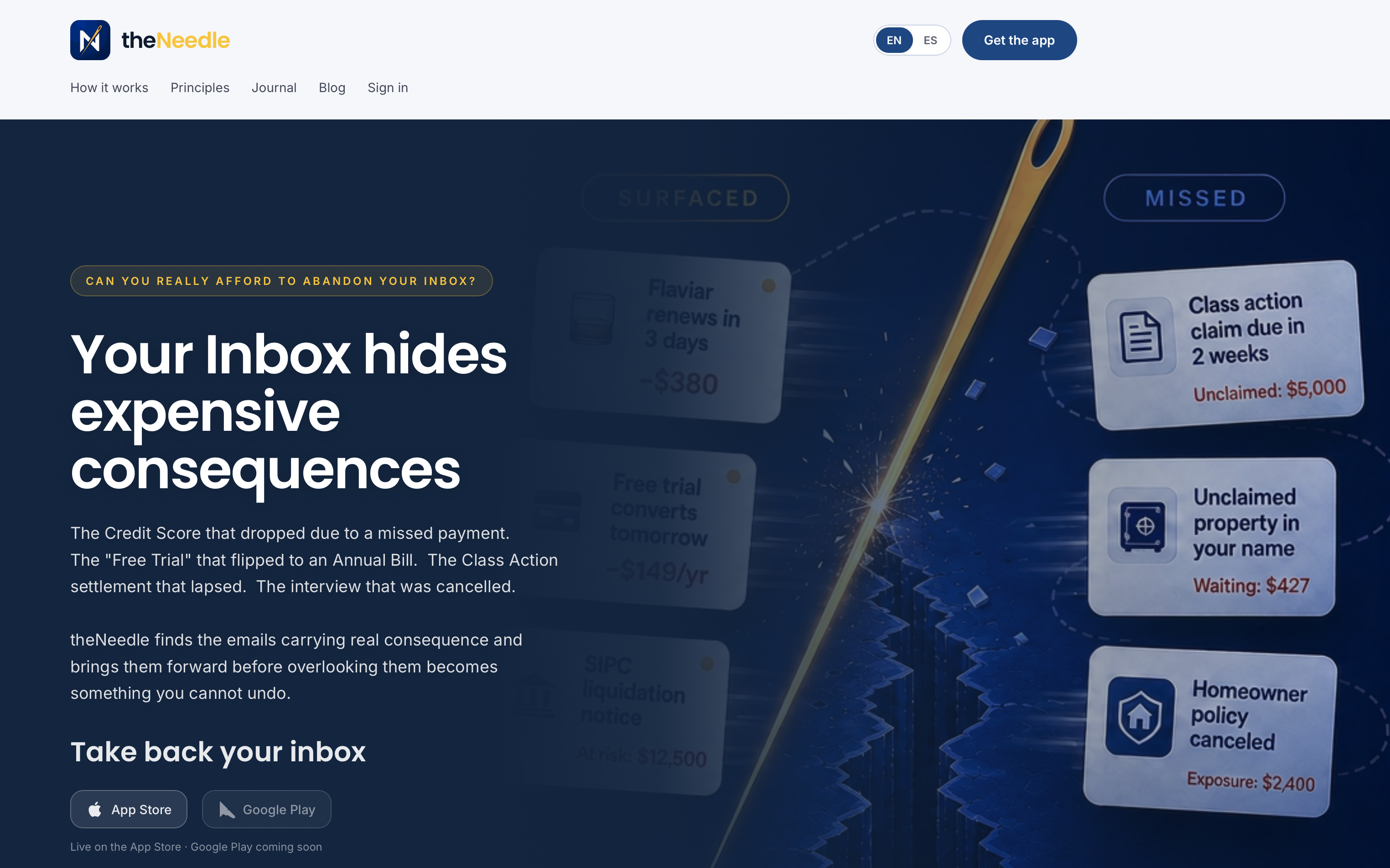
You can start from the theNeedle plans page, or get the iPhone and Android apps to receive alerts on the go. For a broader look at the category, see our comparisons of email prioritization apps and inbox management apps.
A simple decision path
- Under $5 a month and Gmail only: Boomerang covers send-later and reply nudges.
- Outlook-heavy workplace: Mailbutler works inside the Outlook versions listed above.
- You want a new inbox experience: try Spark.
- You already live in a task app: keep it, and add detection so tasks get created from the right emails.
- You have missed a deadline that cost you: choose a consequence-first tool like theNeedle so the next one reaches you.
If you want to dig deeper into follow-ups specifically, see our comparison of email follow-up tools and our walkthrough on tracking high-impact follow-ups in one sitting. Outlook users who find their alerts misfiring can use the Outlook follow-up reminder checks.
FAQ
What is the best email reminders app for deadlines?
For deadlines that arrive inside messages, a tool that detects them automatically is the best fit, because you do not have to remember to create a reminder. theNeedle is designed for this: it flags emails with deadlines or significant consequences and ranks them. Our roundup of email deadline reminders compares more options.
Can an app remind me about emails across several inboxes?
Yes, if the app connects to each provider. theNeedle works with Gmail, Outlook, Microsoft, Yahoo and iCloud accounts, so you can review them in one place. Add-ons like Boomerang are tied to a single provider, so check which accounts a tool supports before you commit.
How do I avoid being flooded by urgent email alerts?
Limit alerts to a few consequence-based categories, such as near-term deadlines, money and unanswered replies. Send everything else to a scheduled review. Removing recurring promotional senders also reduces noise, which is why theNeedle includes built-in unsubscribe.
Is a to-do app enough for email reminders?
A to-do app holds reminders well but depends on you to spot the deadline and enter it. That works for a light inbox. When volume is high, pairing a to-do app with a detection tool closes the gap.
Does theNeedle help with ADHD?
It includes ADHD-friendly features: a one-at-a-time focus view and consequence-based ranking, so you see a single next item instead of a long list. It is designed to lower the effort of deciding what to do first.
Sources
- How to Train Google’s E-mail Triage System (The New York Times, 2010)
- Application Information for Mailbutler (Microsoft Learn)
- Boomerang for Gmail pricing and features (Capterra)
- The 9 Best Email Apps (Zapier)