How to Unsubscribe From Persistent Senders for Good

A persistent sender is one that keeps emailing after you have clicked unsubscribe, or one that comes back under a new list name a week later. The fix is a short ladder: unsubscribe once, wait, then escalate to spam reports, blocks and filters, and finally a complaint. Each rung takes a couple of minutes. The hard part is not the clicking. It is keeping the noise from burying the one message that carries a deadline, a refund or a contract. That is why theNeedle includes a built-in unsubscribe for persistent senders, alongside the prioritizing that keeps consequential mail in front of you.
TL;DR
- Unsubscribe once, then wait 24 to 48 hours before escalating. Mailing systems often lag, and older queued messages can still arrive.
- If mail keeps coming, mark it as spam, block the exact address, and filter the sender’s whole domain.
- U.S. senders must honor an opt-out within 10 business days under the CAN-SPAM Act. Document dates and report violations to the FTC.
- Be careful with unsubscribe links in messages you don’t recognize. For suspicious mail, report it as spam instead of clicking.
- The real cost of a crowded inbox is the important email you miss. Remove the noise, then keep deadline mail visible.
Table of Contents
- Why some senders keep coming back
- The escalation ladder, step by step
- What the law gives you
- A fast reset for a busy week
- Why the cleanup is only half the job
- Where theNeedle fits
- Our perspective
- FAQ
- Sources
Why some senders keep coming back
Most persistent senders are not villains. They fall into three groups, and knowing which one you are dealing with tells you how far up the ladder to climb.
The slow system. Email marketing platforms often take 24 to 48 hours to update their lists after an unsubscribe, according to MakeUseOf’s guide to unsubscribes that don’t stick. Messages already queued before your request can land after it. Check the date on the email first.
The many-lists company. Large companies run separate lists for promotions, account updates, events and partners. Unsubscribing from one leaves the others untouched. The same guide advises checking your subscription settings for exactly this reason.
The sender that ignores you. Reputable companies are bound by the CAN-SPAM Act, a U.S. law on commercial email. Attorney Amy Loftsgordon explains in Nolo’s spam guide that shady senders may simply disregard it. In that case, repeated clicking on their unsubscribe link accomplishes little. Your remedy is to report them.

The escalation ladder, step by step
Work down this list in order. Stop at the first step that works.

Step 1: Unsubscribe once, from the right place
In Gmail on a computer, open the email, click Unsubscribe next to the sender’s name, then choose Unsubscribe or Go to website. Google notes it may take a few days for emails to stop.
If you have a pile of subscriptions, Gmail’s Manage subscriptions view (More > Manage subscriptions) lists them in one place. According to Google’s help page, unsubscribing there removes you from all active mailing lists related to that sender, and new emails from that sender go to Spam.
In Outlook.com, go to Settings > Mail > Subscriptions. Microsoft’s guide says the list is built from message headers, and the unsubscribe option may be unavailable for mail already filtered to junk or sent by blocked senders. That detail matters: if you block a sender before unsubscribing, you may lose the clean exit.
The weakness of this step is that it works one provider and one sender at a time. If you run a work account, a personal Gmail and an old Yahoo address, you repeat the routine in three places. theNeedle connects to Gmail, Outlook, Microsoft, Yahoo and iCloud, and offers a built-in unsubscribe for persistent senders, so you can handle them from one view instead of three. For a Yahoo-specific walkthrough, see our guide to unsubscribing from emails in Yahoo Mail.
Step 2: Wait 24 to 48 hours, and check dates
This is the step people skip, and it creates most “it didn’t work” moments. Ask Leo!'s Leo Notenboom recommends waiting at least a day or two and checking the date of the latest message before concluding that the sender is ignoring you.
Write down the date you unsubscribed. You will need it if you reach the last rung.
Step 3: Mark it as spam
If mail from a sender you have unsubscribed from is still arriving after that window, report it as spam. In Gmail, select the email and click Report spam, as Google’s instructions describe. MakeUseOf adds that each spam report damages the sender’s reputation with internet providers, which is the one pressure a persistent sender actually feels.
Spam reports are also the right move when you don’t recognize the sender at all. AOL’s help page warns that any link in a spam message, including the unsubscribe link, could be dangerous. For that kind of mail, select the message and click Spam. Future messages from the sender go to spam and are deleted automatically.
Step 4: Block the exact address
Blocking is the blunt tool. In Gmail, blocking a sender sends future emails from that address to Spam, but it does not unsubscribe you from the mailing list. You can review or unblock addresses in Settings > See all settings > Filters and Blocked Addresses.
On an iPhone or iPad using Apple Mail, open the email, tap the contact at the top, choose View Contact Card, then Block this Contact. Technobezz’s blocking guide reports that Apple sends mail from blocked addresses to Trash. You can also add an address under Settings > Privacy & Security > Blocked Contacts.
Blocking has one limit that matters for persistent senders: it catches only the address you blocked. Companies rotate sending addresses, so the next message may come from a slightly different one.
Step 5: Filter the whole domain
The fix for rotating addresses is a filter on the sender’s domain, the part after the @ sign. MakeUseOf suggests creating a Gmail filter with the domain in the From field, so that every address at that company is caught. Set the filter to skip the inbox or delete the message.
Be careful with domains that also send mail you need. A bank’s marketing address and its fraud alerts often share a domain. Filter marketing from a company you do business with only after checking that its account notices come from somewhere you can still see.
Step 6: Document and report
If a company ignores you after the legal window, you have a legal complaint, not just an annoyance. Consumer law firm Rausa Russo’s guide to spam and CAN-SPAM says that continuing commercial email after the 10-business-day window is generally a violation. It advises reporting it to the FTC at reportfraud.ftc.gov, using your provider’s spam-reporting tool, and documenting the unsubscribe date and every later email.
Nolo’s advice is to send the report with the full email attached, rather than clicking unsubscribe again.
What the law gives you
Knowing your rights makes the ladder shorter, because you know when waiting is reasonable and when it is not.
| What the sender must do | What it means for you |
|---|---|
| Honor your opt-out within 10 business days, a window that includes weekends and holidays, as this compliance guide explains | Wait the full two weeks before calling it a violation, but start counting from your unsubscribe date |
| Not charge a fee, demand more than your email address and preferences, or require more than a reply email or a single web page, per the FTC’s CAN-SPAM Rule | An unsubscribe flow that asks you to log in, pay or fill out a long form is out of bounds |
| Face civil penalties of up to $53,088 per violating email, a figure set in a January 2025 Federal Register notice | Penalties attach to each message, which is why complaints matter |
Enforcement is real, though it targets scale. In August 2024 the FTC obtained a $2.95 million civil penalty from security-camera maker Verkada for sending over 30 million commercial messages with no working unsubscribe mechanism, un-honored requests and no postal address, according to this analysis. Your single report will not trigger a case by itself, but a dated record of ignored requests is what regulators and providers can act on.
The law covers commercial messages. It does not stop a scammer, who will ignore it. For those senders, the spam button and a block are your tools, not the unsubscribe link.
A fast reset for a busy week
If your inbox is already deep in repeat senders, do this in one sitting instead of one email at a time:
- Sort by sender and find the five or ten that appear most often.
- Unsubscribe from each legitimate one through the email’s own link or your provider’s subscriptions page.
- Report the unfamiliar ones as spam without clicking anything inside them.
- Note the date for each unsubscribe in a simple list.
- Set a reminder to check again in two days.
- For anything still arriving, move to blocking and a domain filter.
Nolo also lists the Direct Marketing Association’s eMail Preference Service as a way to be removed from the lists of U.S.-based DMA members. It will not stop every sender, but it reduces mail from the companies that follow industry rules. Our own 3-step reset for unwanted email and our guide to unsubscribing from newsletters safely cover the same ground in more depth.
Why the cleanup is only half the job
Unsubscribing reduces volume. It does not tell you which of the messages left matter. The average worker receives 117 emails a day, a figure we return to often, and the cost of that load shows up in the messages that carry consequences: a payment due date, a contract change, a refund window, a reply someone is waiting on.
A persistent sender is dangerous mainly because it trains your eye to skim. After the tenth promotional email in a row, the eleventh message, the one from your landlord or your accountant, gets the same glance. That is the quiet cost of a noisy inbox.
For readers who struggle with attention, including those coping with ADD or ADHD, the problem is sharper. A long list of equal-looking messages offers no starting point. What helps is a smaller list and a clear order. Our guide on organizing your inbox for productivity and calm goes further on this, and our piece on stopping notifications from hijacking your focus covers the other half of the interruption problem.
Where theNeedle fits
theNeedle is an email management app built around consequences rather than volume. It connects to Gmail, Outlook, Microsoft, Yahoo and iCloud. It detects and prioritizes emails with deadlines or significant consequences, and surfaces overdue, urgent and high-priority messages. It identifies unhandled replies and tracks opportunities like credits or refunds. And it offers built-in unsubscribe for persistent senders, so the cleanup in this guide and the prioritizing sit in the same place.
For people with ADHD, it provides one-at-a-time focus and consequence-based ranking, so you see one thing to act on instead of a wall of messages.
The monthly plan is $9.99 per month and the annual plan is $99.99 per year. There is a free trial period, and you can see the details on the pricing page.
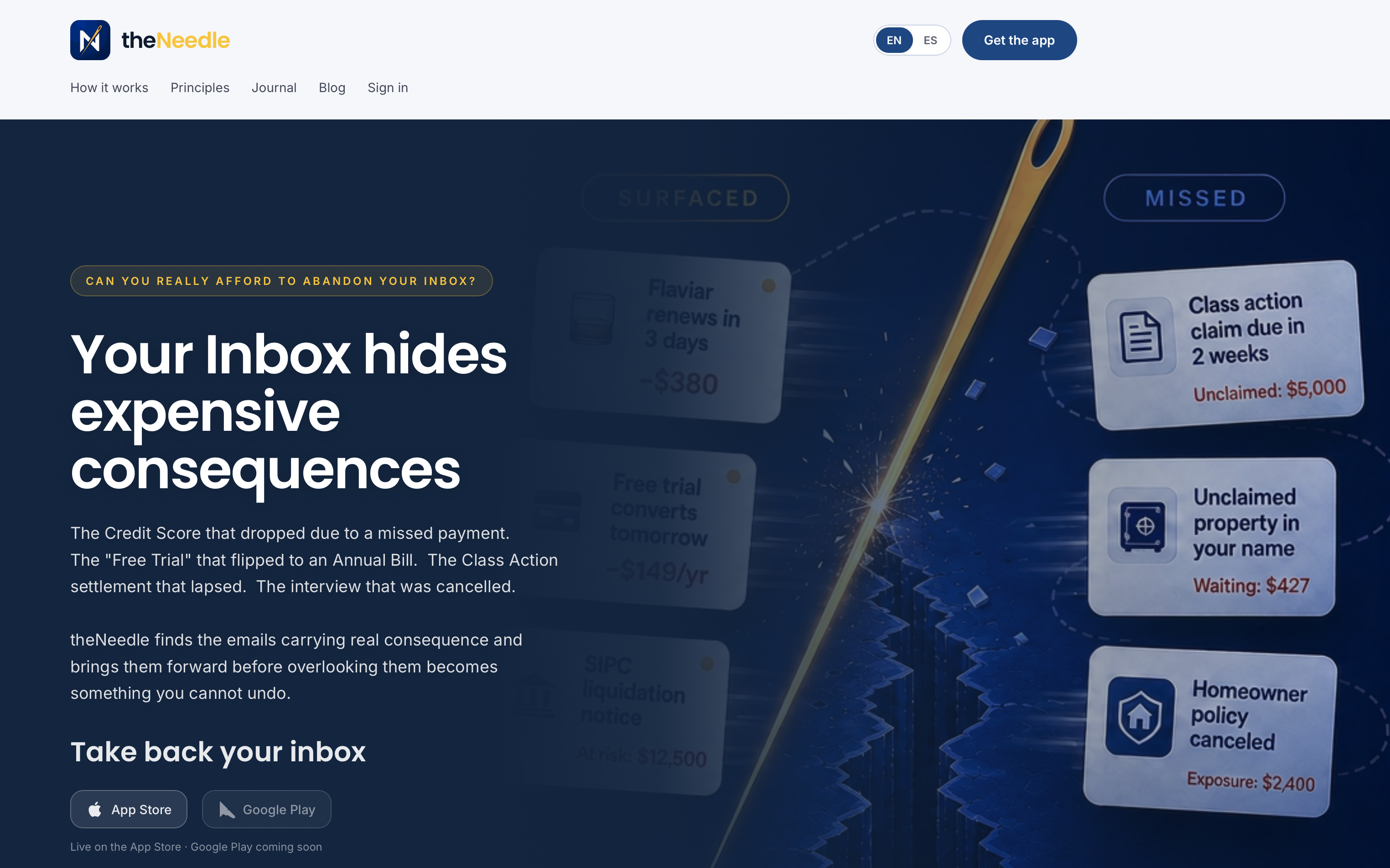
If persistent senders are what pushed you to read this, start with theNeedle and let the clutter step aside for the mail with deadlines in it. Our walkthrough of unsubscribing from persistent senders in 10 business days shows the same routine from the app’s side.
Our perspective
Unsubscribing is triage, not tidying. The goal is never an empty inbox. The goal is that the message with a deadline, a legal consequence or a refund attached to it cannot hide behind forty that have none.
Most email tools sort by sender, folder or rule. Those are useful, but they treat a promotional blast and a payment notice as the same kind of object until you teach them otherwise. We built theNeedle on a different question: what happens if you miss this? A forfeited right, a late fee and a missed reply all answer that question, and a coupon does not.
That is why we pair consequence-based ranking with built-in unsubscribe for persistent senders. Removing the noise and ranking what remains are one job, and both are scaffolding around your attention. If you take one habit from this guide, make it this: write down the date you unsubscribed. It protects you with a sender, and it frees you to stop thinking about it.
Glen Bover
FAQ
How long should I wait before an unsubscribe counts as ignored?
Wait 24 to 48 hours for ordinary lag, since marketing systems often update lists that slowly. Under CAN-SPAM, senders have 10 business days to honor an opt-out. If mail continues past that window, document the dates and report it.
Does blocking a sender unsubscribe me?
No. In Gmail, blocking sends future mail from that address to Spam but does not remove you from the mailing list. Unsubscribe first where the sender is legitimate, then block if messages still arrive. Remember that Outlook.com may not offer the unsubscribe option once a sender is blocked.
Is it safe to click unsubscribe in every email?
No. Click it only in messages from senders you recognize, and hover over the link to check the URL, as Nolo advises. If the message is from a sender you never dealt with, report it as spam and don’t click anything inside it.
Where do I report a company that keeps emailing me?
Report commercial email that ignores your request to the FTC at reportfraud.ftc.gov, and use your email provider’s spam-reporting tool as well. Keep the date you unsubscribed and copies of the later messages. Attach the full email to the report rather than a screenshot where you can.
How do I stop unwanted messages on an iPad?
Open the email in Apple Mail, tap the sender’s name, choose View Contact Card, then Block this Contact. You can also add addresses under Settings > Privacy & Security > Blocked Contacts. Blocked mail goes to Trash.
Sources
- Unsubscribe from an email, Gmail Help
- Manage your subscriptions in Gmail, Gmail Help
- How to manage email subscriptions in Outlook.com, Microsoft Support
- Report spam in Gmail, Gmail Help
- Block an email address in Gmail, Gmail Help
- Manage spam and privacy in AOL Mail, AOL Help
- Still Receiving Emails After Unsubscribing, MakeUseOf
- How to Deal When Unsubscribe Doesn’t Work, Ask Leo!
- Stop Spam Emails and Junk Mail: 2026 Complete Guide, Nolo
- Spam Email and CAN-SPAM Act, Rausa Russo
- The CAN-SPAM Act: A complete 2026 compliance guide, Transcend
- Part 316, CAN-SPAM Rule, Code of Federal Regulations
- CAN-SPAM penalty and Verkada case analysis, lafactory.com
- How to Block an Email Sender, Technobezz