4 min readEN
The Mental Load of Unread Email: Why Unresolved Messages Weigh on You
For National Stress Awareness Day: an unread email can hold a deadline, payment, or opportunity. Reading it doesn’t resolve it, and keeping the obligation in view shouldn’t depend on perfect memory or willpower.
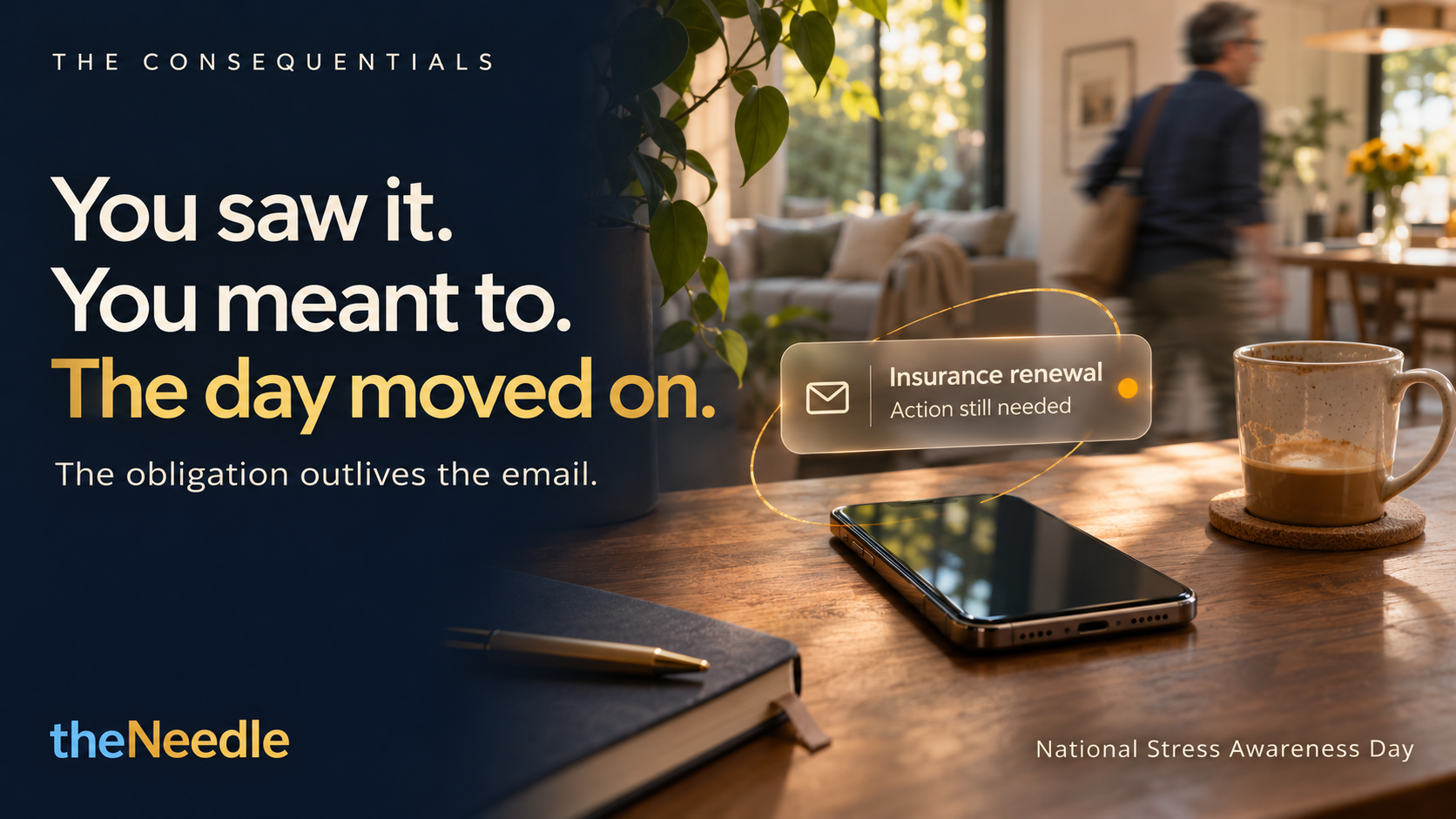
You saw the email. You meant to deal with it. Then the day moved on.
Maybe it was a bill, an insurance request, a work decision, or an opportunity with a cutoff date. You read the message, understood what it needed, and planned to return to it. But another responsibility took your attention. The message sank. The action stayed unfinished.
That gap, between seeing an obligation and completing it, can weigh on you. Not because you don’t care. Because attention is limited, and email is often asked to serve as an inbox, a to-do list, a calendar, and a reminder system at once.
Today is National Stress Awareness Day, the first Wednesday of November. Most conversations about stress focus on workload, deadlines, and life pressure. This piece is about a quieter contributor: the unfinished email obligation that keeps asking for a piece of your attention long after you have closed the message.
In The Consequentials series, we return to a simple distinction: the obligation outlives the email.
An open email can become an open loop
Some messages carry more than information. They carry a next step: confirm an appointment, submit a form, pay an amount, answer a client, or choose between options before a deadline.
When that action remains undefined or easy to lose, you may keep revisiting the message mentally. You might reread it, worry about forgetting it, or feel a jolt of stress when you see the subject line again. The message is visible. The obligation is still unresolved.
Research points to a related, broader problem. In a two-wave study of 444 workers, higher email load predicted later strain, even after researchers accounted for time pressure and interruptions. A second study of 257 people found that incoming communication emails, not simply the number of task-related emails received or all emails processed, were associated with greater email load. The results do not show that every unread message causes stress. They do suggest that email demands can add to strain, and that volume alone does not tell the whole story. (Kern et al., 2024)
A crowded inbox can ask you to make the same decisions again and again: Does this matter? What should I do? When? Where did I put it? The mental effort isn’t only reading. It’s keeping track of what reading revealed.
Follow-through isn’t a character test
If you struggle to return to email actions, blame is a poor solution. “I should be more organized” doesn’t make a deadline easier to remember. It can make it harder to ask for support.
Follow-through draws on several abilities: noticing what matters, planning the action, remembering to do it later, and starting at the right time. That is a lot to expect from memory alone, especially when you have competing responsibilities or difficulty sustaining attention.
A small study of adults with ADHD found differences in planning complex future tasks compared with a matched control group. The study does not describe every person with ADHD, nor does it explain every missed email. It does reinforce a useful point: delayed intentions can require support with planning and execution, not just more effort. (Fuermaier et al., 2013)
Support is not a sign that you have failed. It is a way to make the next action easier to find when your attention has moved elsewhere.

Give consequential email a clearer next step
You don’t need to reach inbox zero. You need a reliable way to tell what still needs you.
Try this when an email contains an obligation:
- Name the action. Replace “deal with this” with a concrete verb: “Send the signed form” or “Confirm the appointment.”
- Identify the timing. Note the actual deadline, or choose a time to act if the sender has not given one.
- Keep the action visible. Move it into a system you will revisit. Don’t rely on an unread badge or a vague intention to remember.
- Mark it resolved when it is done. Reading, flagging, and archiving are not the same as completing the required action.
These steps reduce ambiguity. They do not make every task easy or every deadline manageable. But they help separate “I have seen this” from “I have finished this.”
Email tools solve different problems
Email management tools can help you sort, search, draft, or track tasks. The key is to choose based on what you need help with.
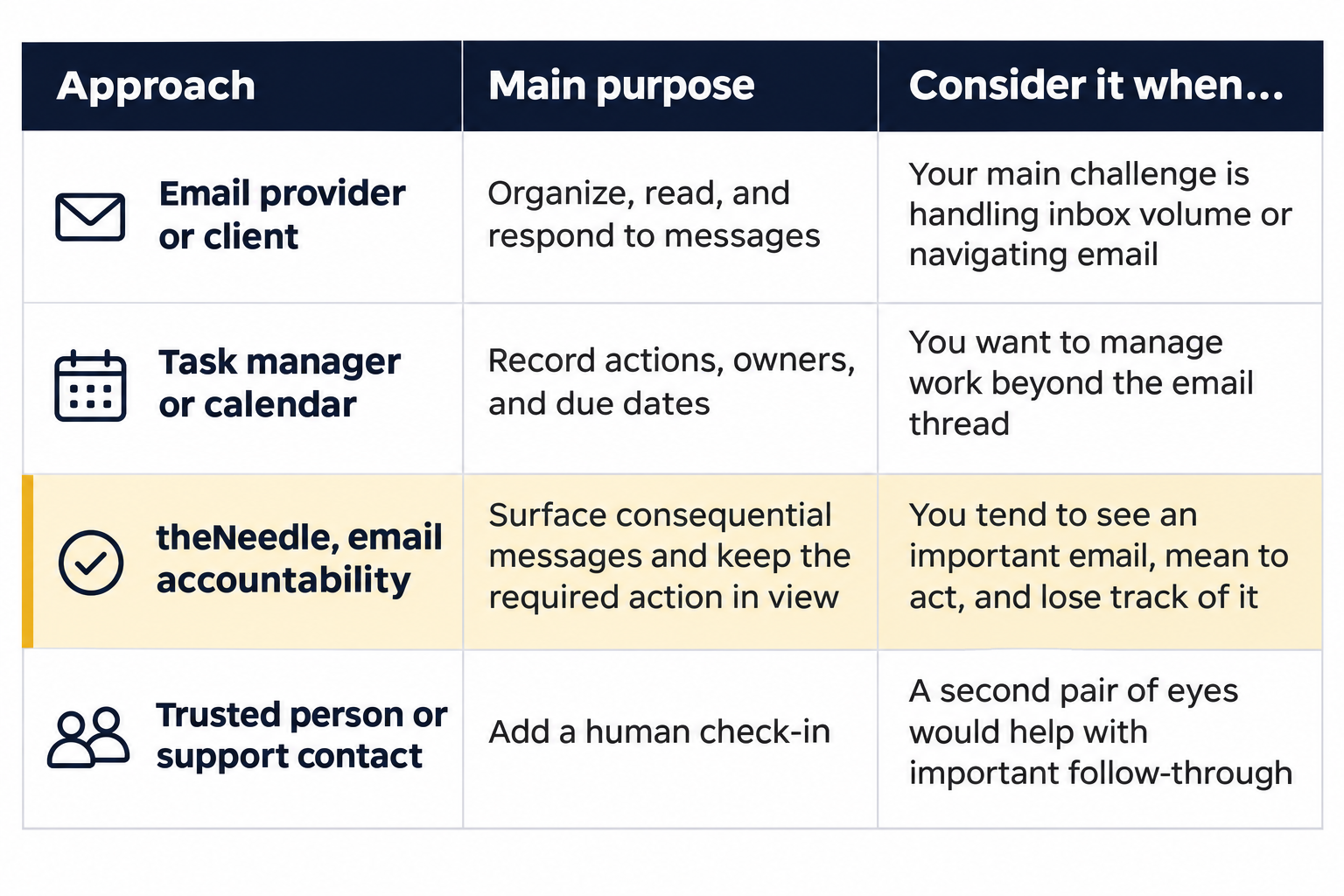
These approaches can complement each other. An email client can make messages easier to process. A task manager can hold work that needs several steps. An accountability tool can help keep a consequential email from disappearing from view.
The distinction matters: a cleaner inbox is not the same as a resolved obligation. For a broader breakdown of tool categories and what to compare, read How to Choose the Best Email Management Software.

Support should feel like support, not surveillance
Sometimes a reminder from an app is not enough. You may want a trusted person to check in when an important obligation is still open.
That can be a practical form of support, not a judgment about your ability, and not permission for someone to monitor everything you do. The human layer should be optional, intentional, and based on trust. You choose who is involved and what help you want.
A second pair of eyes can catch what one tired brain misses. A simple check-in can help turn “I’ll get to it” into “What’s the next step, and when will you take it?” The goal is not to police your inbox. It is to make it easier to ask for help before an unresolved task becomes more difficult.

How theNeedle supports consequential email
theNeedle is a read-only email accountability app for Gmail, Yahoo, iCloud, and Outlook. It identifies consequential messages, retains them in view, assigns a RiskScore, and sends escalating reminders as urgency approaches. Its views include Priority, Inaction, Opportunities, and Unsubscribe.
You stay in control of your email. theNeedle does not send or reply to messages, and it does not delete or archive them. An optional backup contact can add a human check-in if you want one. See how theNeedle works, or explore the live app.
An accountability tool cannot remove every source of stress, guarantee a deadline will be met, or replace care from a qualified professional. It can provide structure around a specific problem: keeping consequential email and its required action in view while your attention moves to other things.
The aim is not perfect attention
Stress Awareness Day’s message is that stress deserves attention before it becomes strain. An unresolved email is rarely the biggest source of stress in anyone’s life. But it is one of the few you can actually close, and closing one loop makes the next one easier to see.
You do not need to remember every message all day. You need a system that helps you see what matters, understand what it asks of you, and return to it before the consequences arrive.
If an obligation has been sitting in your inbox, start with one thing: write down the next action and when you plan to take it. Then put that action somewhere you trust.
A message can be read and still be unfinished. The obligation outlives the email.
One obligation at a time, from the inbox you already have.
theNeedle is live on the App Store and Google Play.
Get the app