Stop Wasting Time: Move Chat to Email After 3–4 Replies for Teams

Use email when a message is formal, has multiple points, or needs a lasting record. Use chat when it’s short, internal, and needs a fast reply. If a chat thread runs past three or four exchanges without resolving, move it to email or a call and summarize what’s been decided. The average professional juggles a flood of daily messages across both channels, which is exactly why the rule has to be this simple to survive a busy Tuesday.
TL;DR:
- Email is essential for formal, multi-point, or long-term records such as approvals, contracts, and compliance documentation.
- Chat is best suited for quick internal exchanges, immediate clarifications, and coordination that can be resolved in under two minutes.
- Escalate from chat to email or call when conversations stall after multiple exchanges, involve decisions with future reference, or require detailed explanations.
- Setting clear norms for response times and responses across channels improves communication efficiency and reduces interruptions.
- Tools like theNeedle can support busy teams by flagging high-priority messages across inboxes, ensuring important emails do not get overlooked.
Table of Contents
- Email vs Chat at Work: A Quick Decision Matrix
- When Email Is the Right Choice
- When Chat Is the Right Choice
- When Should Chat Escalate to Email or a Call?
- Setting Team Norms That Actually Stick
- The 5 C’s and Quick Templates You Can Reuse
- How theNeedle Fits a Chat-First Team
- A Manager’s Take on Making Hybrid Channels Work
- Try theNeedle Alongside Your Team Chat Tool
- Sources
Email vs Chat at Work: A Quick Decision Matrix
Before you type a single word, run the message through four filters: who’s receiving it, how urgent it is, how complex it is, and whether anyone will need to point back to it later. That last question matters more than most people think. Chat threads scroll away. Email sits in a searchable record, which is why HR guidance for hybrid teams treats “does this need a paper trail” as the first question to ask, not an afterthought.
| Attribute | Favors Email | Favors Chat |
|---|---|---|
| Audience | External, mixed, or unknown | Internal team, known group |
| Urgency | Can wait hours | Needs an answer within minutes |
| Complexity | Multiple points, attachments, approvals | One quick question or update |
| Record needed | Yes, for compliance or accountability | No, informal and disposable |
Three rules to post above your desk: pick up the phone or start a video call when a decision needs real-time back-and-forth reasoning, not just a fact exchange. Escalate to email once a chat thread stalls on nuance instead of speed. And mute non-urgent channels during deep work blocks rather than letting every ping interrupt your focus.
Starter norms worth adopting this week:
- Default to chat for anything resolvable in under two minutes.
- Default to email for anything with more than one action item.
- Never bury a deadline inside a chat scroll that disappears in a day.
When Email Is the Right Choice
Email earns its place when the message needs to survive beyond the moment it’s sent. That covers four situations most teams underestimate: external communication with clients, vendors, or partners; anything that functions as a formal record, like an approval or a policy change; multi-point updates where several ideas need to land in a structured order; and contracts, compliance notes, or anything a lawyer might one day ask to see.
Composing an email that actually gets acted on is a discipline, not an accident. Run through this sequence every time:
- Write a subject line that states the outcome, not the topic. “Approve Q3 budget by Friday” beats “Budget question.”
- Put the bottom line in the first two sentences. Nobody should have to scroll to find out what you need.
- List action items with a named owner and a due date for each.
- Attach the current version of any file, and note the version number so nobody edits an outdated draft.
- Use CC sparingly and BCC only when privacy genuinely requires it. Every name on that line is someone who now feels obligated to read the thread.
Response norms should differ by audience. Internally, a same-business-day reply is reasonable for non-urgent email. Externally, next-business-day is the safer default, and you should say so in your signature or auto-reply if your team runs on a different clock than your clients.
Pro Tip: Write your subject line last. Once you know how the email resolves, you’ll write a subject line that actually matches the outcome instead of the vague topic you started with.
When Chat Is the Right Choice
Chat wins when speed matters more than permanence, making church cloud collaboration simple and effective for distributed worship teams. Rapid coordination, quick status checks, immediate clarifications, and fast iteration on a shared document all belong in chat, not in an inbox. Dedicated chat tools speed up exactly this kind of coordination and create a searchable record for teams that structure their channels well, which email threads rarely manage without turning into a reply-all mess.
The discipline in chat isn’t length, it’s restraint. A few habits separate a useful chat culture from a noisy one:
- One idea per message. Don’t stack three unrelated questions in a single wall of text.
- Use threads for anything that might generate more than two replies, so the main channel stays scannable.
- React with an emoji to acknowledge receipt instead of typing “got it” five times a day.
- Avoid long multi-topic messages that force the reader to re-read twice to catch everything.
Availability signals matter as much as message content. Set your status honestly, and treat a green dot as “available,” not “obligated to respond in sixty seconds.” A reasonable norm is a reply within thirty minutes during working hours, not instantly and never after hours unless something is genuinely urgent.
Pro Tip: If you’re drafting a chat message longer than three sentences, stop. That’s an email in disguise, and it deserves a subject line, not a scroll-past.
When Should Chat Escalate to Email or a Call?
Three signals tell you it’s time to leave the chat window. First, the exchange has gone back and forth three or four times without landing on a decision, a pattern documented across email and chat behavior studies. Second, whatever gets decided needs to be referenced later, whether that’s a budget number, a policy change, or a client commitment. Third, the conversation now needs an attachment, a longer explanation, or context that chat’s short-message format can’t hold cleanly.
When you escalate, don’t just copy and paste the whole thread. Do this instead:
- Summarize the key points in two or three sentences at the top of the new email.
- Paste only the specific chat snippets that matter, not the entire scroll.
- Link the original thread if your platform supports it, so anyone can trace the history.
- Name the decision made and who owns the next step.
If the topic involves disagreement, nuance, or a decision with real stakes, skip the written back-and-forth entirely and get on a call. Text is a poor medium for resolving tension, and a five-minute conversation often saves twenty minutes of typing.
Setting Team Norms That Actually Stick
A documented operating agreement beats an unwritten assumption every time. Co-created norms adopted by the whole team tend to hold up better than rules a manager hands down, because people follow what they helped build. Your agreement should spell out the purpose of each channel, expected response windows, an after-hours policy, and two or three example scenarios so nobody has to guess.
A workable starting point is to set response-time expectations such as chat acknowledgments during work hours, internal email replies within the same business day, and urgent messages on any channel to be flagged and responded to promptly, noting exact timing norms should be tailored by each team as recommended by HR guidance.
Worth tracking: chat adoption tends to lower internal email volume but raise total message count. The goal isn’t fewer messages, it’s fewer interruptions and higher signal per message, a distinction borne out in cross-channel analytics.
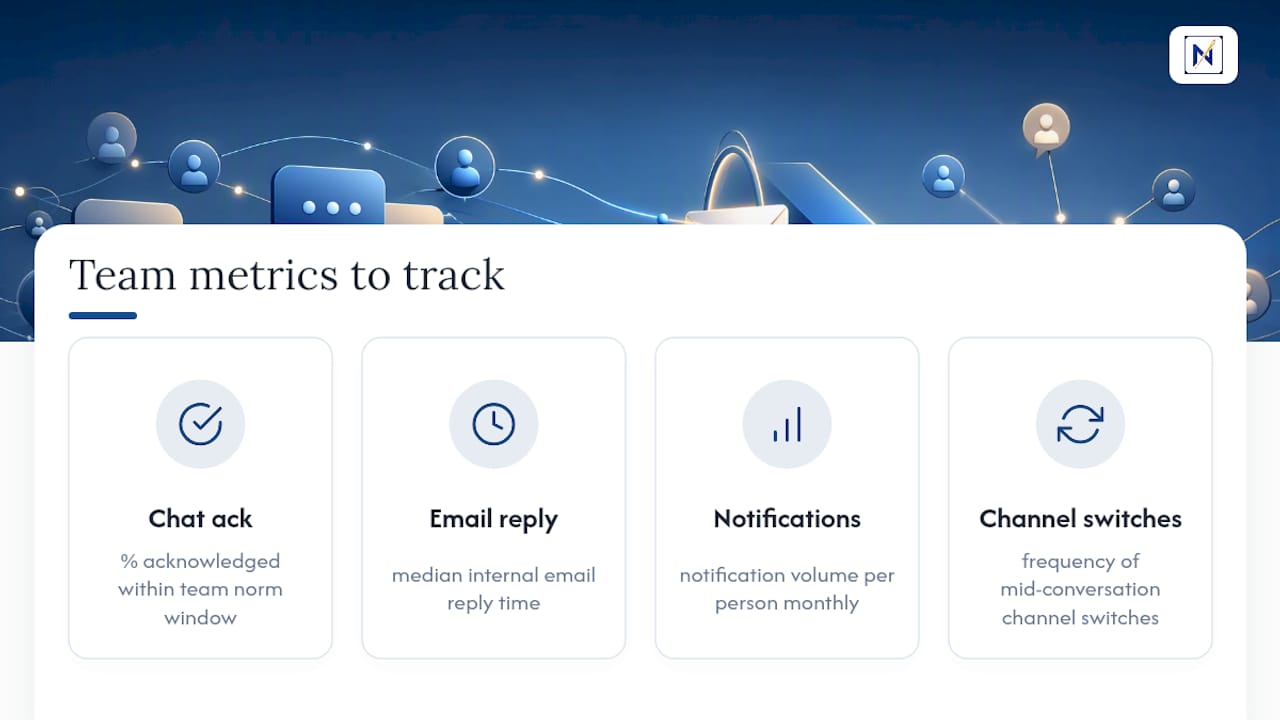
Track a few simple metrics monthly: the percentage of chat messages acknowledged inside your norm window, median email reply time, notification volume per person, and how often people switch channels mid-conversation. That last number often reveals more about communication health than any survey.
The 5 C’s and Quick Templates You Can Reuse
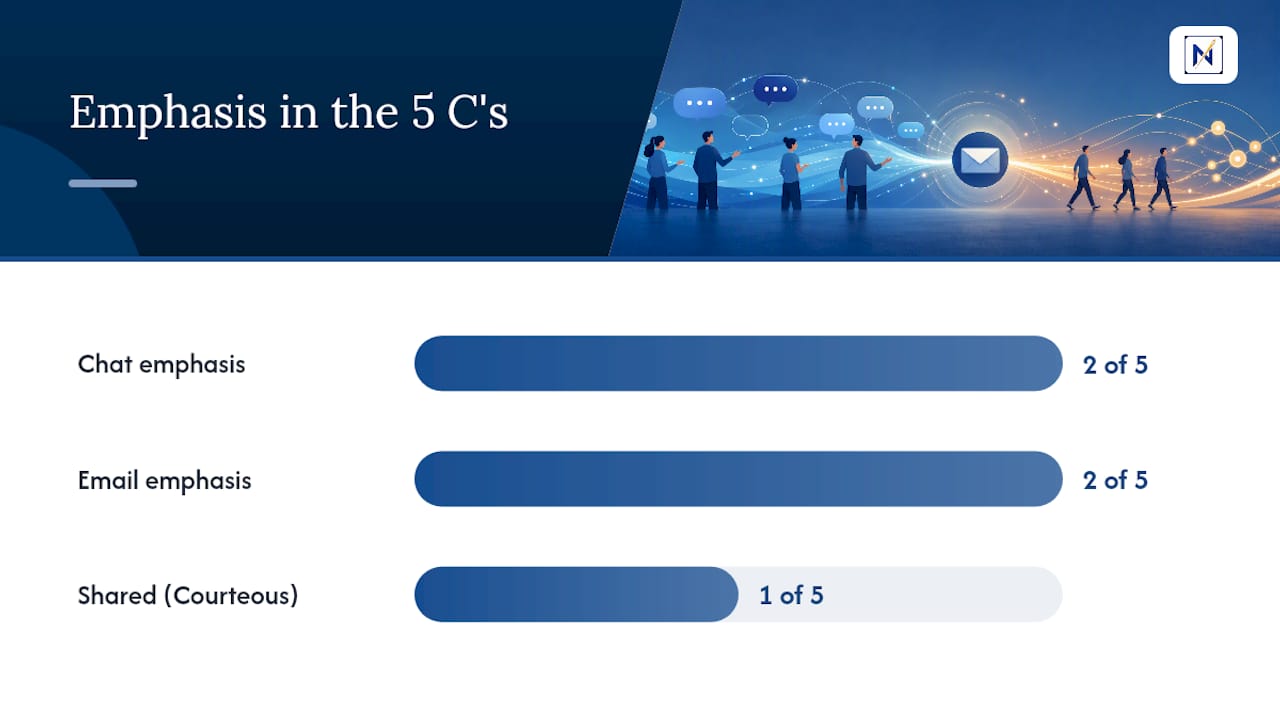
Every message, whether typed into chat or drafted in email, should be Clear, Concise, give enough Context, state the Call-to-action, and stay Courteous. Chat leans hard on the first two; email carries more weight on context and action items.
Three micro-templates worth keeping handy:
- One-line chat ask: “Can you confirm the client call is still 2pm today?”
- Short internal email: Subject: “Approve vendor invoice by EOD.” Body: TL;DR, then two bullet action items.
- Short external email: Subject naming the outcome, one paragraph of context, one clear next step, a professional close.
To cut notification overload, archive dead channels quarterly, rename active ones by purpose rather than project code, and mute bot notifications unless they signal something time-sensitive.
How theNeedle Fits a Chat-First Team
Chat handles the fast lane. Email still carries the messages with real consequences: contracts, invoices, deadlines, client commitments. theNeedle sorts inboxes by consequence rather than volume, surfacing overdue and financially significant messages instead of burying them under routine traffic. For teams that lean on chat for coordination, that kind of triage means the email channel stops being a second inbox nobody checks and becomes the reliable backstop it’s supposed to be.
A Manager’s Take on Making Hybrid Channels Work
Most communication breakdowns aren’t a channel problem, they’re a norms problem. Teams that write down their operating agreement and revisit it quarterly waste far less time arguing about where a message should have gone. Two moves matter most for managers: set explicit response-time SLAs, and audit noisy automated notifications before they train people to ignore everything. Treat your channel mix as an experiment worth measuring, not a policy set once and forgotten.
— Glen Bover
Try theNeedle Alongside Your Team Chat Tool
Chat platforms are built for speed, not for catching the one email that costs you money or a deadline if it slips past unread. There are tools that connect to Gmail, Outlook, Microsoft, Yahoo, and iCloud, then flag overdue replies, financial alerts, and consequential messages instead of sorting your inbox by volume alone.

Such tools are designed to support busy professionals and freelancers juggling multiple inboxes who need to catch important messages, and to work alongside existing chat tools rather than replace them. If your chat channels handle fast coordination and your inbox still feels like a liability, try theNeedle live and see which emails it flags first.
Sources
- Email vs Chat: Bridging Analytics Across Channels (2026)
- Tips for When to Call, Email, or Chat | Human Resources
- Dedicated chat tools team collaboration